Capstone Project Website Redesign 3-Week Sprint Live Beta Product Team Project

BollyStep

My capstone. Three weeks, three user types, and one big assumption I had to throw out early.

My RoleUX Researcher & Designer
Timeline3 Weeks
PlatformLive Beta Web
ToolsFigma · FigJam · Jira
Scroll
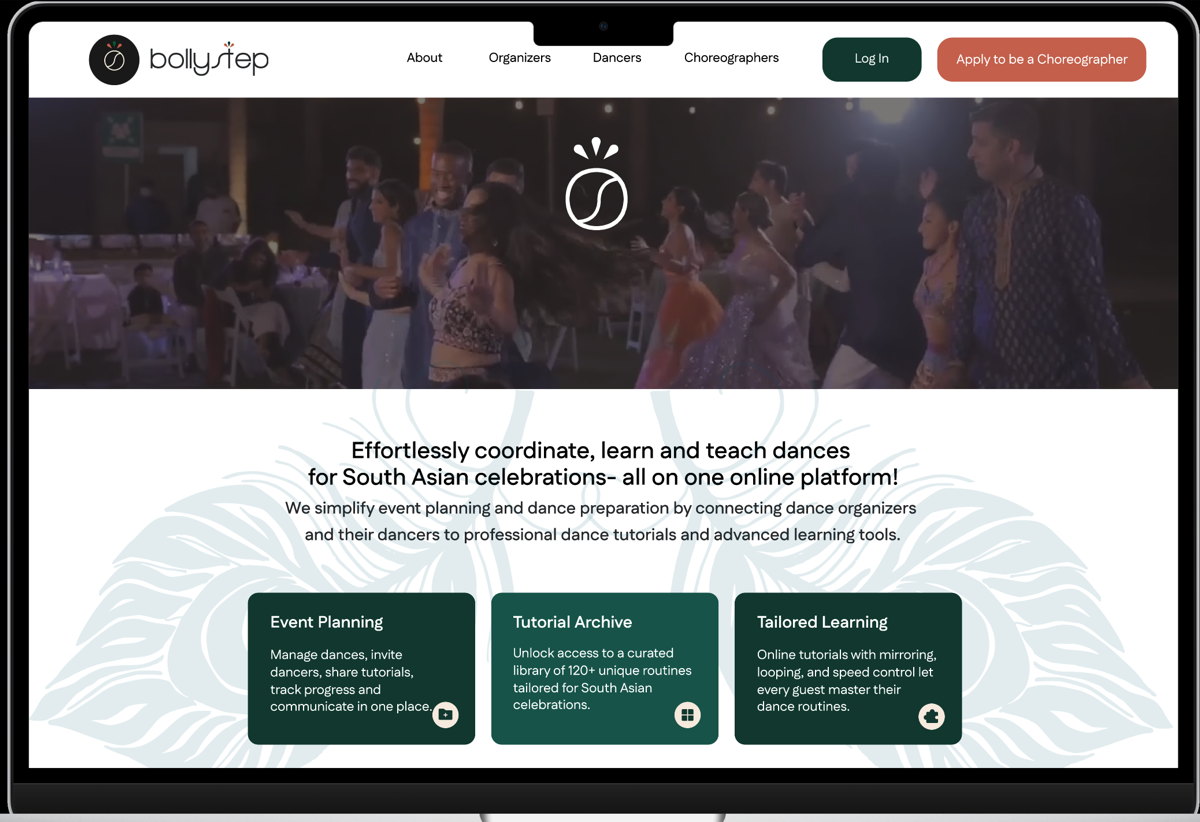
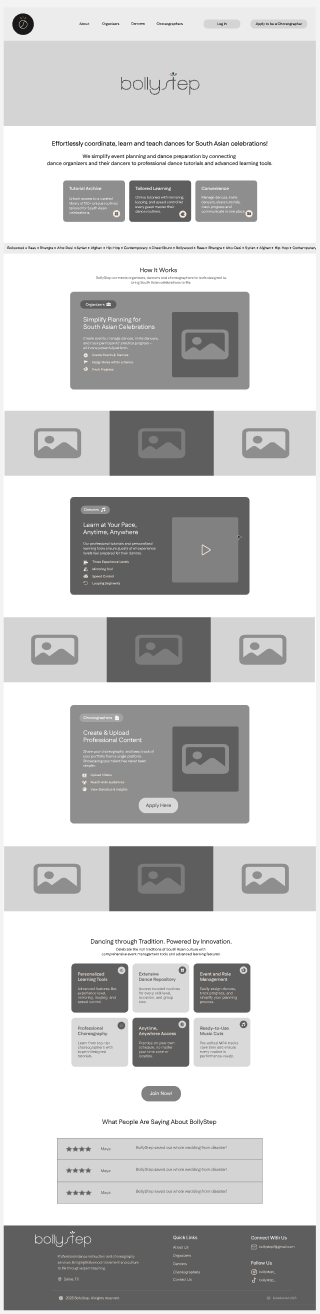
BollyStep redesigned interface preview
Faster tasks
87
SUS Score
100%
Pricing clarity
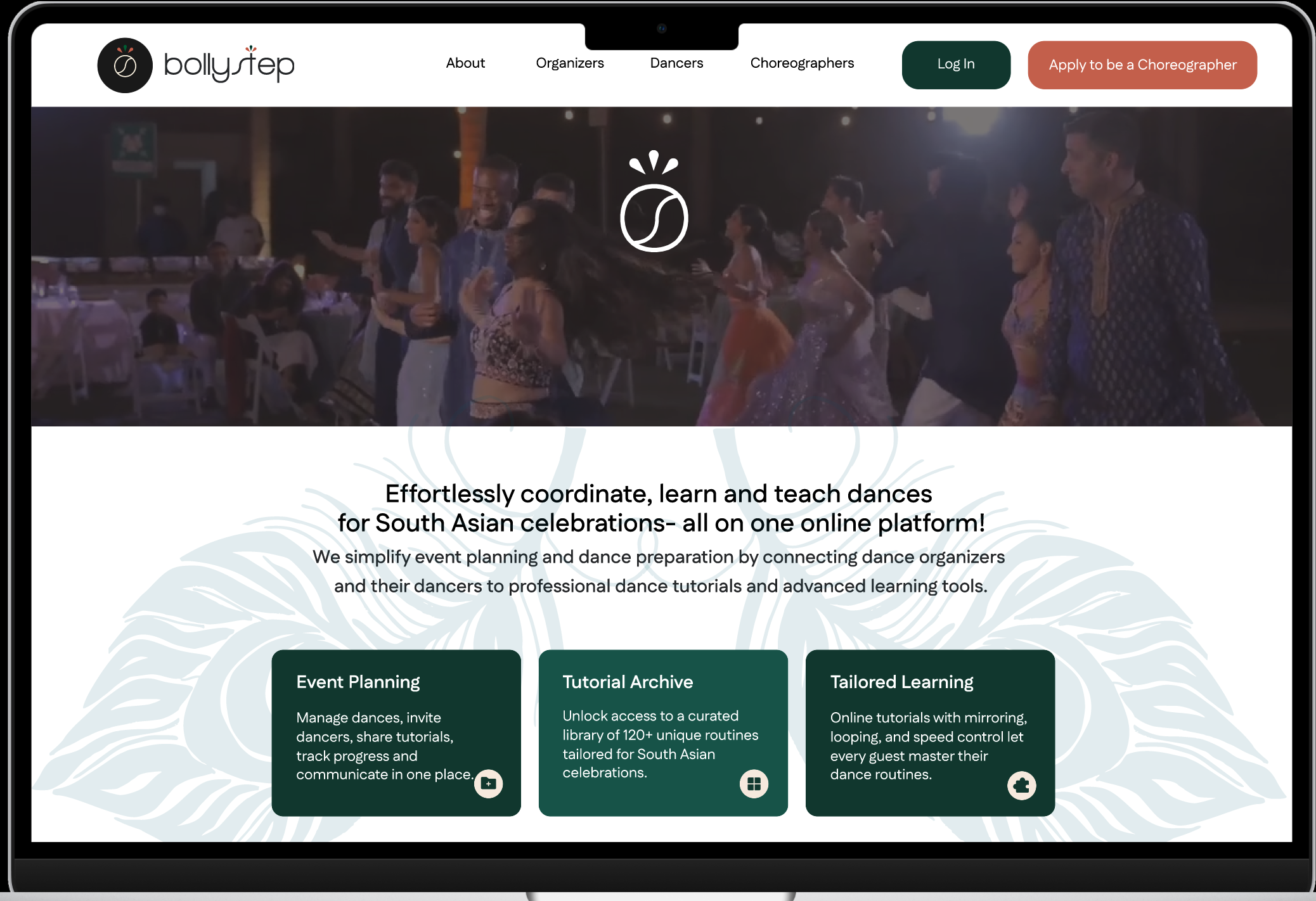
01 — Final Design Preview

Where I ended up.

Role-based navigation, a real sign-up flow, and an explore-first experience. It took two rounds of testing and a few wrong turns to get here.

What I assumed going in

Navigation was the main problem — fix the menu, fix the site. I was wrong. Users didn't know if the platform was even active. Trust came first. Navigation came second.

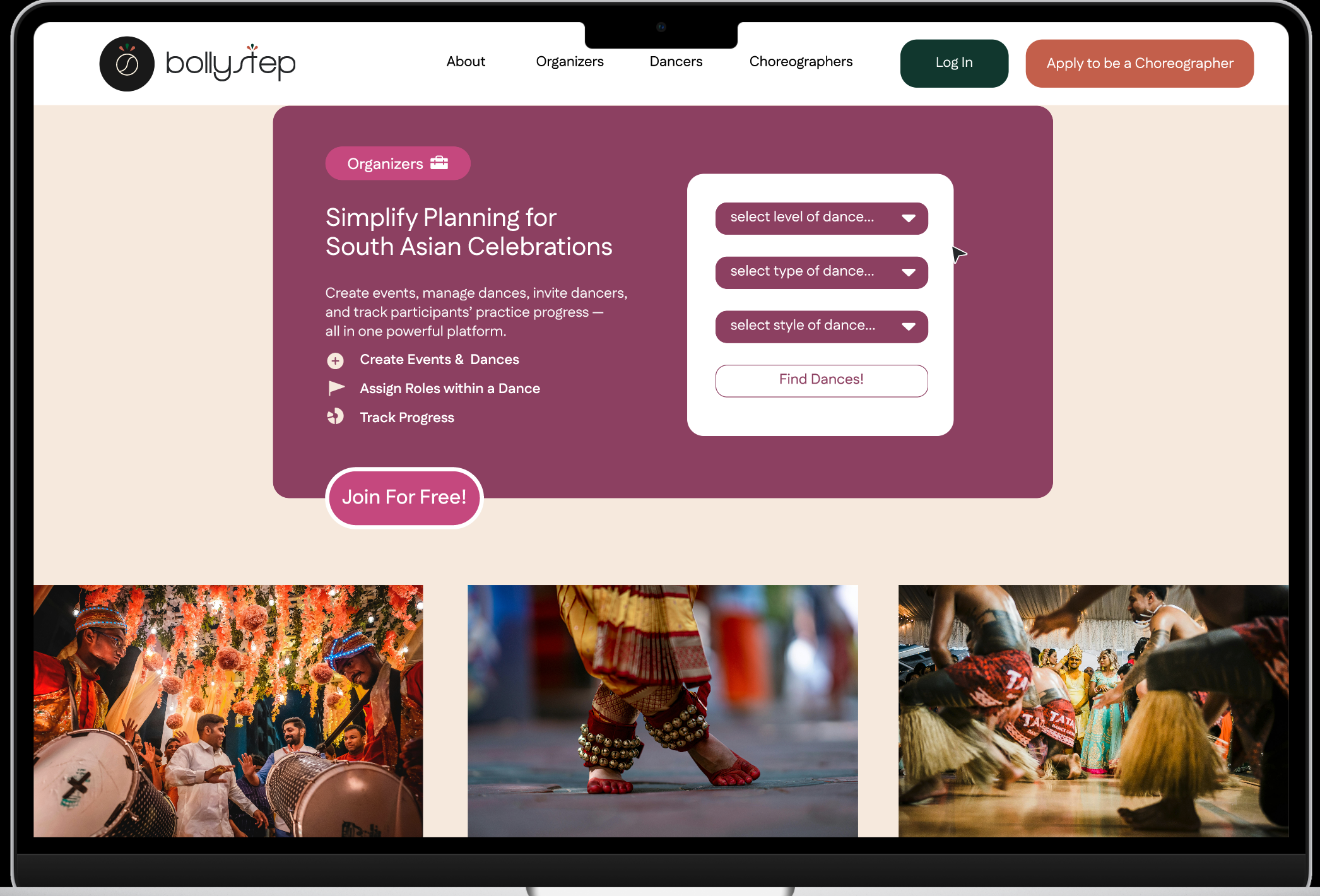
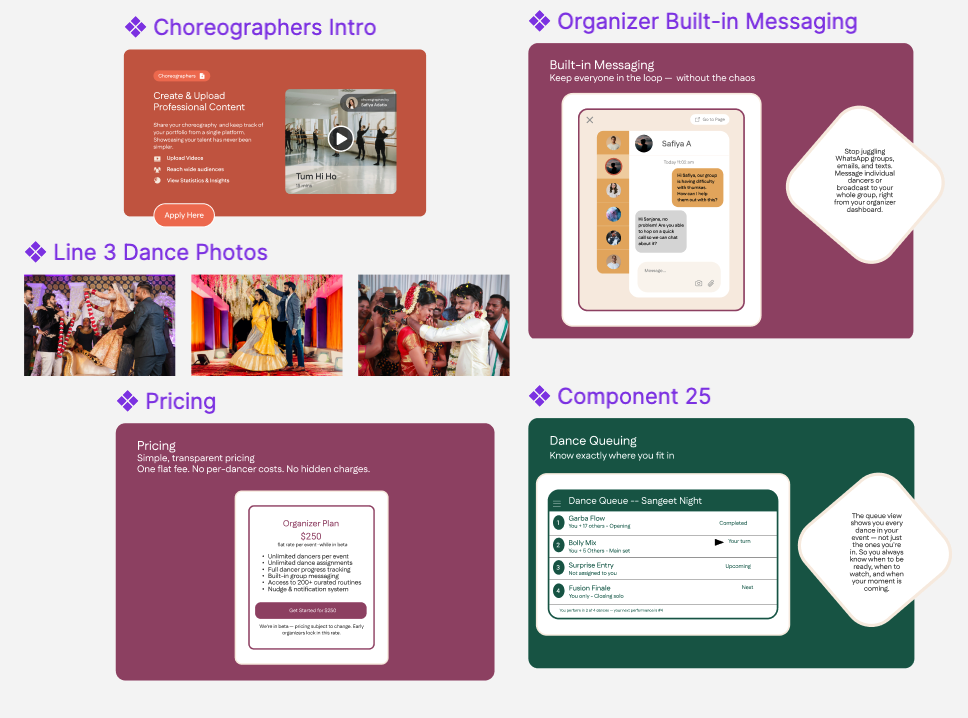
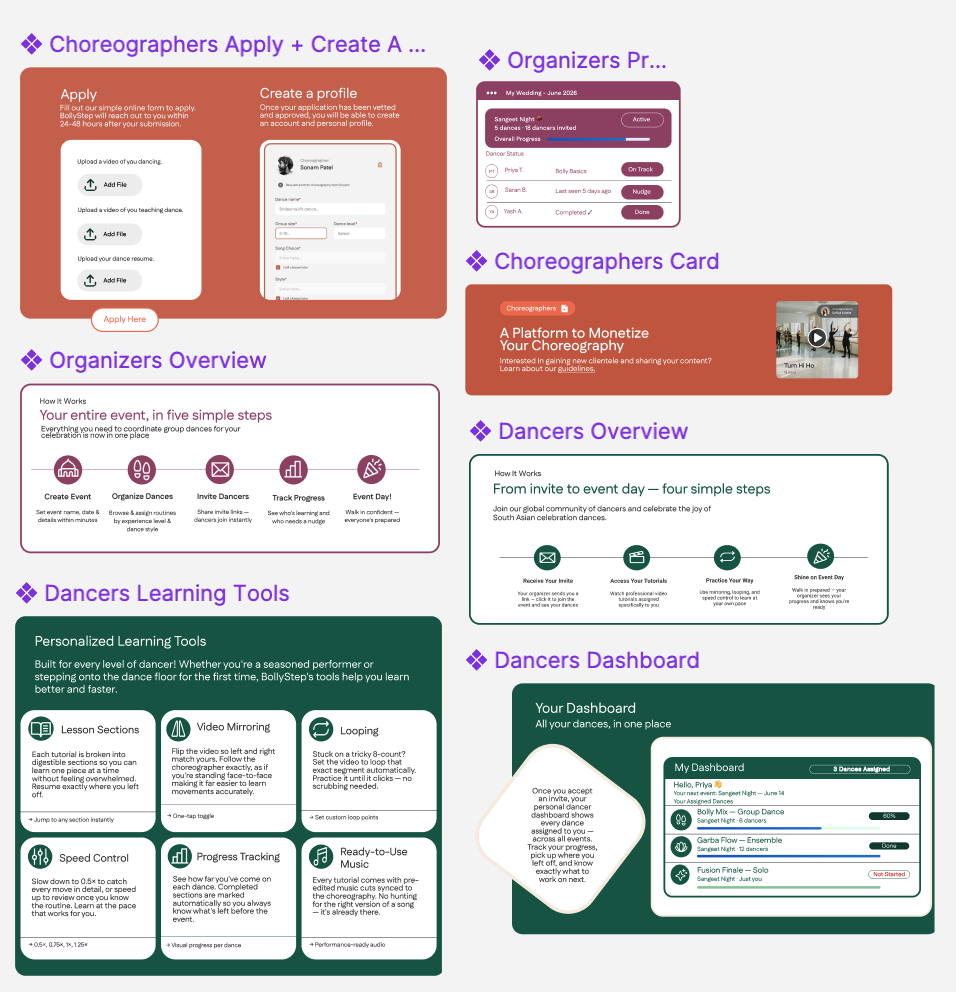
BollyStep redesign — homepage concept
Homepage redesign — role entry points
BollyStep redesign — navigation concept
Role-based navigation & onboarding

02 — The Problem

I thought navigation was the problem. It wasn't.

When I first looked at BollyStep, I assumed it was a nav problem — too many links, no clear hierarchy. But when I actually sat with users, something different came up: they didn't trust the platform was even real. That reframed everything.

📝

Broken sign-up flow

Users expected instant account creation but got redirected to a contact form — with no clear path forward.

🗺️

Overwhelming navigation

No clear hierarchy — users couldn't find where to go or understand what the platform offered them.

👤

Unclear user roles

Dancers, Organizers, and Choreographers shared one confusing experience with zero differentiation.

💰

No pricing transparency

Hidden costs and no content previews killed trust before users even reached sign-up.

My first instinct was to fix the navigation. But every interview kept coming back to trust: "How do I know this is legit? Why can't I just sign up?" The broken sign-up wasn't a bug — it was the loudest signal of a platform that didn't feel real.
How Might We…
💡

HMW communicate what Bollystep is + who it's for within seconds?

💡

HMW simplify user flow to reduce stress and make planning enjoyable?

💡

HMW present purpose + offerings clearly for first-time users?

💡

HMW design homepage for both new clients and returning users?


02b — Goal

Give each role a reason to stay.

The goal wasn't just to fix navigation — it was to make sure that within seconds of landing, each type of user could see themselves in the product and take one clear next step.

💃

Dancers

Receive invite + code → access tutorials, practice at your pace, and perform confidently on event day.

📋

Organizers

Manage group dances, invite participants, track progress — all in one streamlined dashboard.

🎭

Choreographers

Apply, upload routines, and build a professional profile — with a dedicated onboarding pathway.


03 — Research

Three methods. One finding I didn't expect.

I ran interviews, a heuristic evaluation, and a content audit — thinking I'd confirm the nav problems I'd already spotted. Instead, they kept pointing at something deeper: the platform didn't feel trustworthy enough to even try.

🎙️

User Interviews

Spoke with 6 people across all three roles. I went in thinking I'd hear about navigation. I mostly heard about trust — and that shift surprised me.

6

participants across organizers, dancers & choreographers

🔍

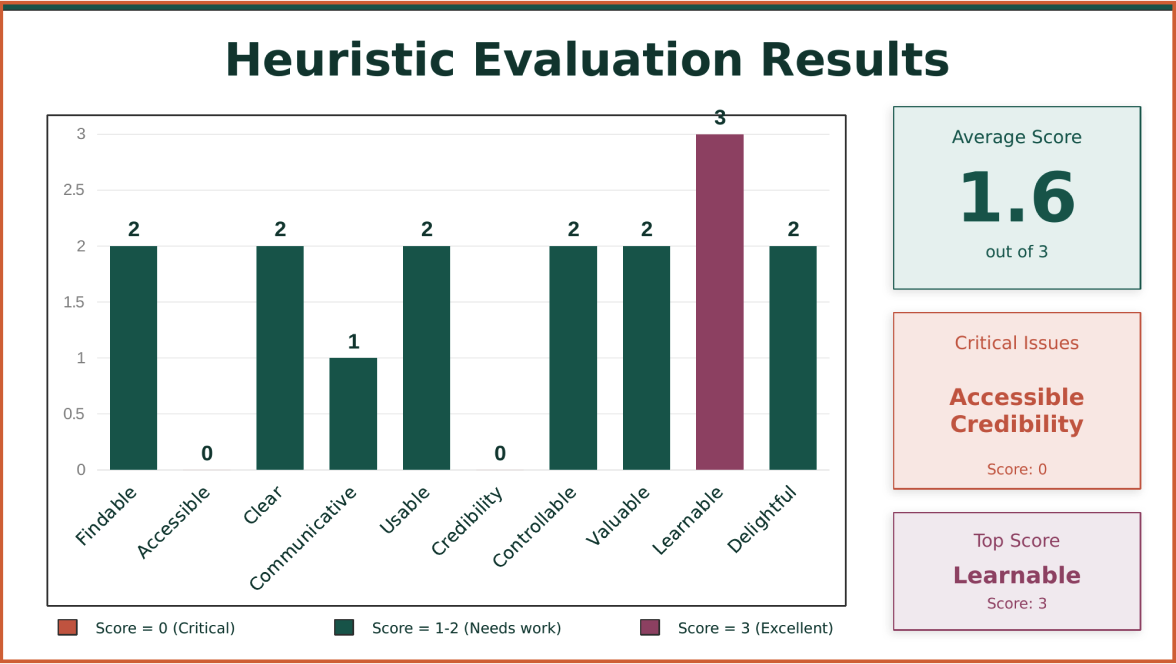
Heuristic Evaluation

Heuristic Evaluation findings Click to expand

Evaluated against Nielsen's 10 heuristics. The score was low — but the more useful outcome was that it gave me a defensible list of problems to bring into research, not just opinions.

📋

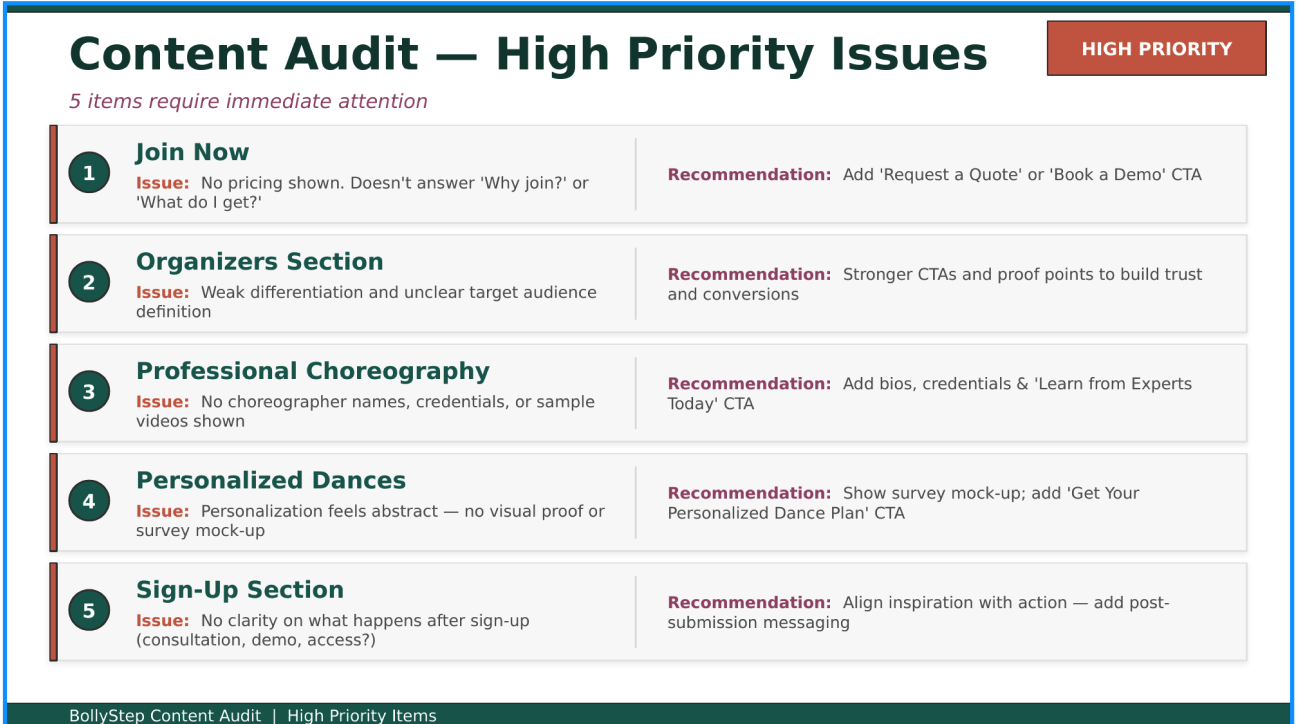
Content Audit

Content audit findings Click to expand

Reviewed every landing and client-facing page. Dense copy, unclear hierarchy — and nothing that answered the first question most users had: "Is this actually for me?"

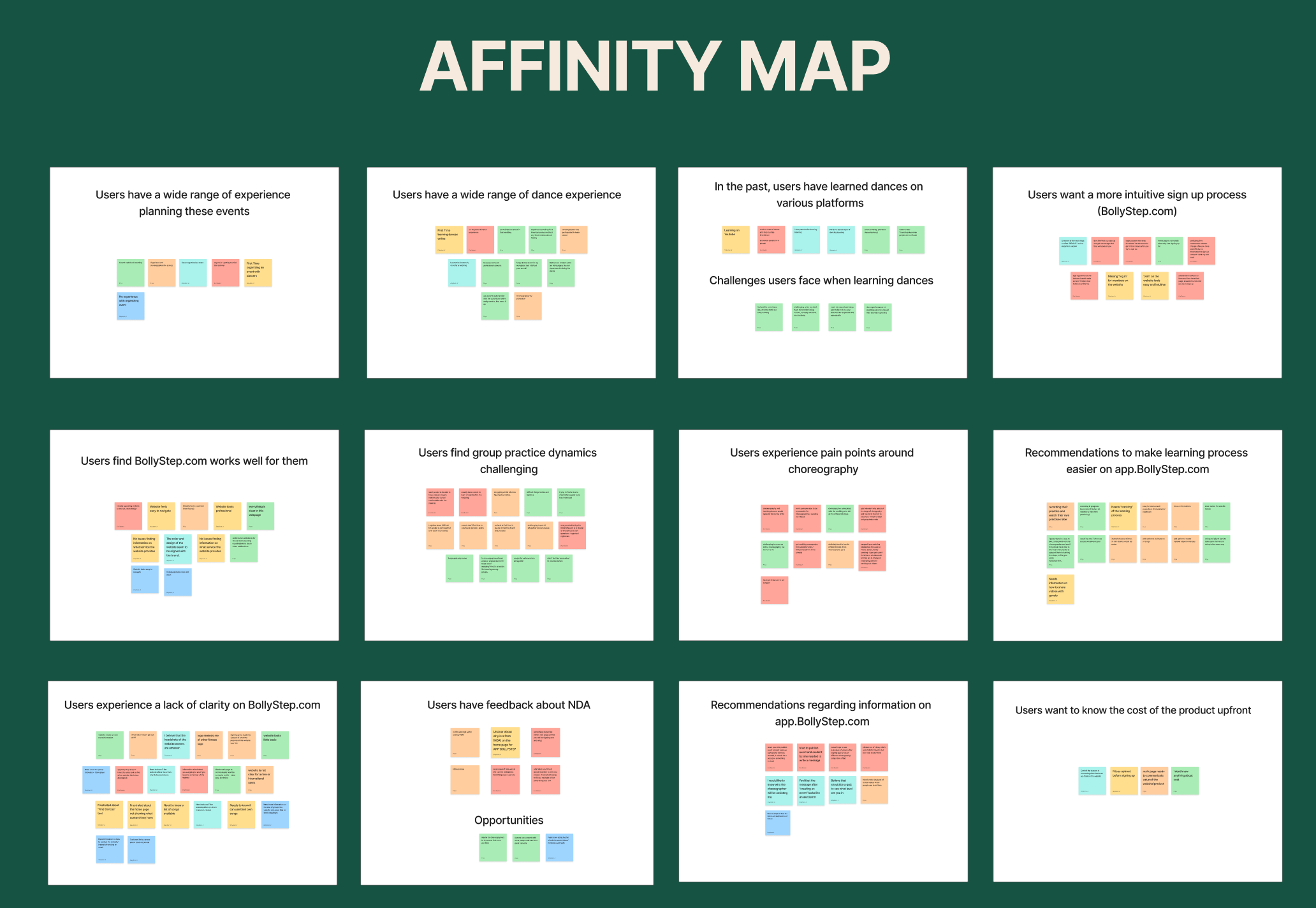
Affinity Map — 4 Key Themes

Affinity map showing themes from user research Click to expand
Navigation Confusion
Can't find where to sign up
Too many menu options
No clear homepage CTA
Role unclear from nav
Onboarding Friction
Contact form instead of signup
No instant access
NDA barrier before use
Multi-step signup in app
Lack of Trust
Pricing hidden or missing
No social proof
Can't preview content
Outdated visual design
Coordination Pain
Different time zones
Mixed experience levels
No async learning tool
Hard to track progress

04 — User Understanding

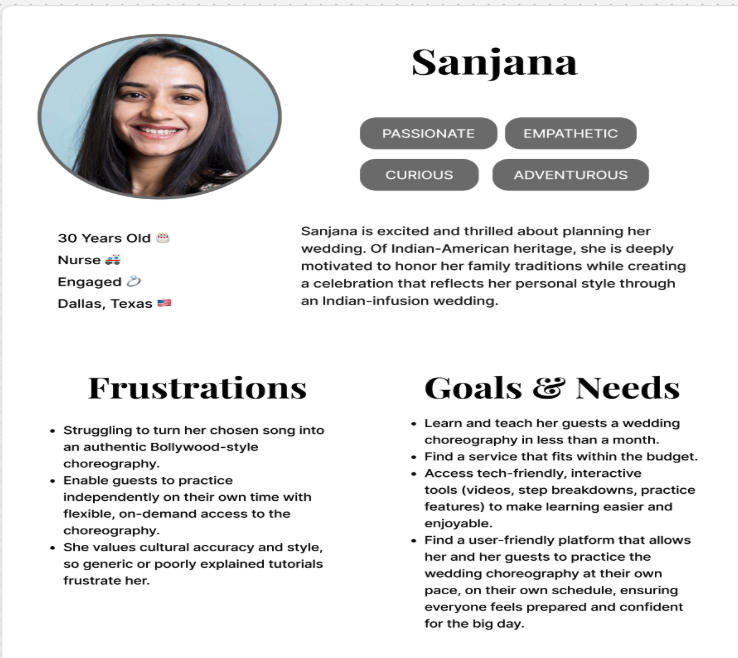
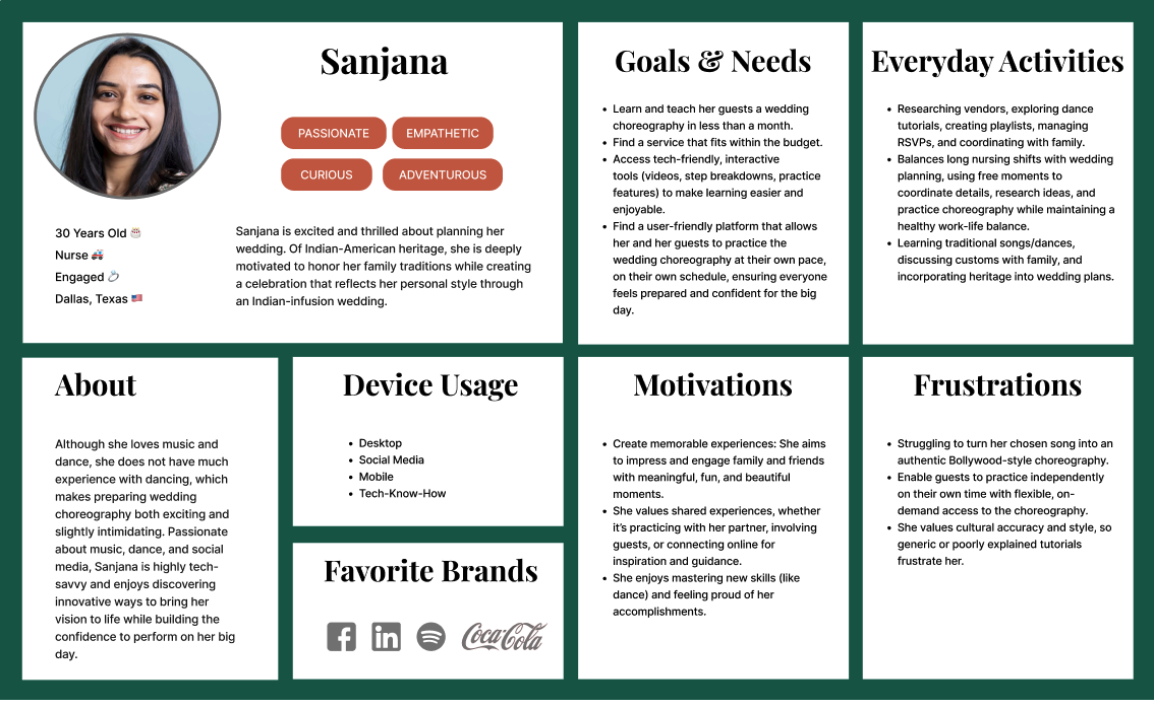
Sanjana — the person I kept designing for.

Sanjana persona spotlight Click to expand
Sanjana
Wedding Organizer

Coordinating a wedding dance over WhatsApp

Sanjana is planning her wedding in 3 months. She needs 12 family members — spread across 4 cities and 3 time zones — to learn a coordinated Bollywood routine. She has no dance background, no budget to hire someone in person, and is managing everything through WhatsApp voice notes. She found BollyStep through a friend. When she landed on the site, she couldn't tell if it was even still active.

Goal
Coordinate group dance with minimal stress
Frustration
Platform doesn't explain how it helps her
Expectation
Sign up instantly, preview content, see pricing
Context
Mobile-first, time-poor, high emotional stakes
"I just want to see if this can help me before I commit to anything. Why do I need to fill a contact form just to sign up?"

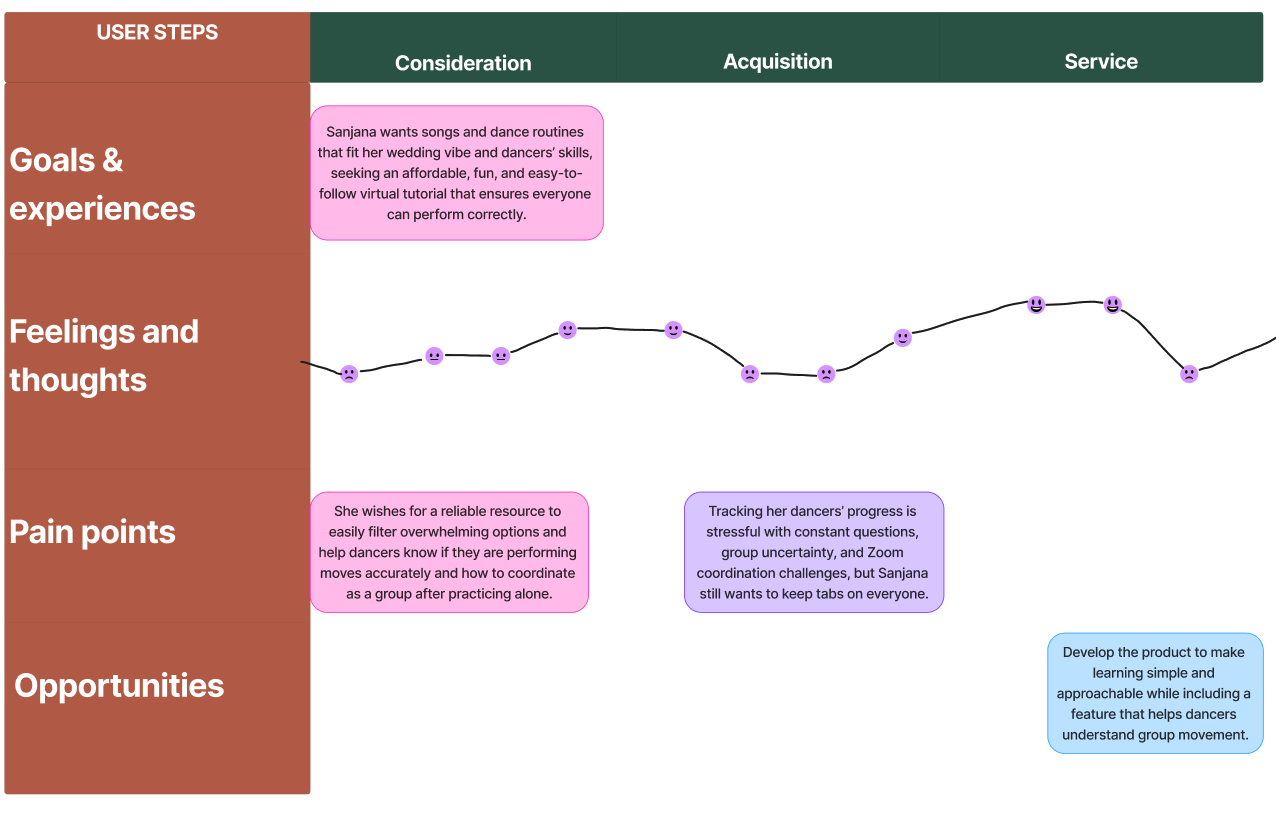
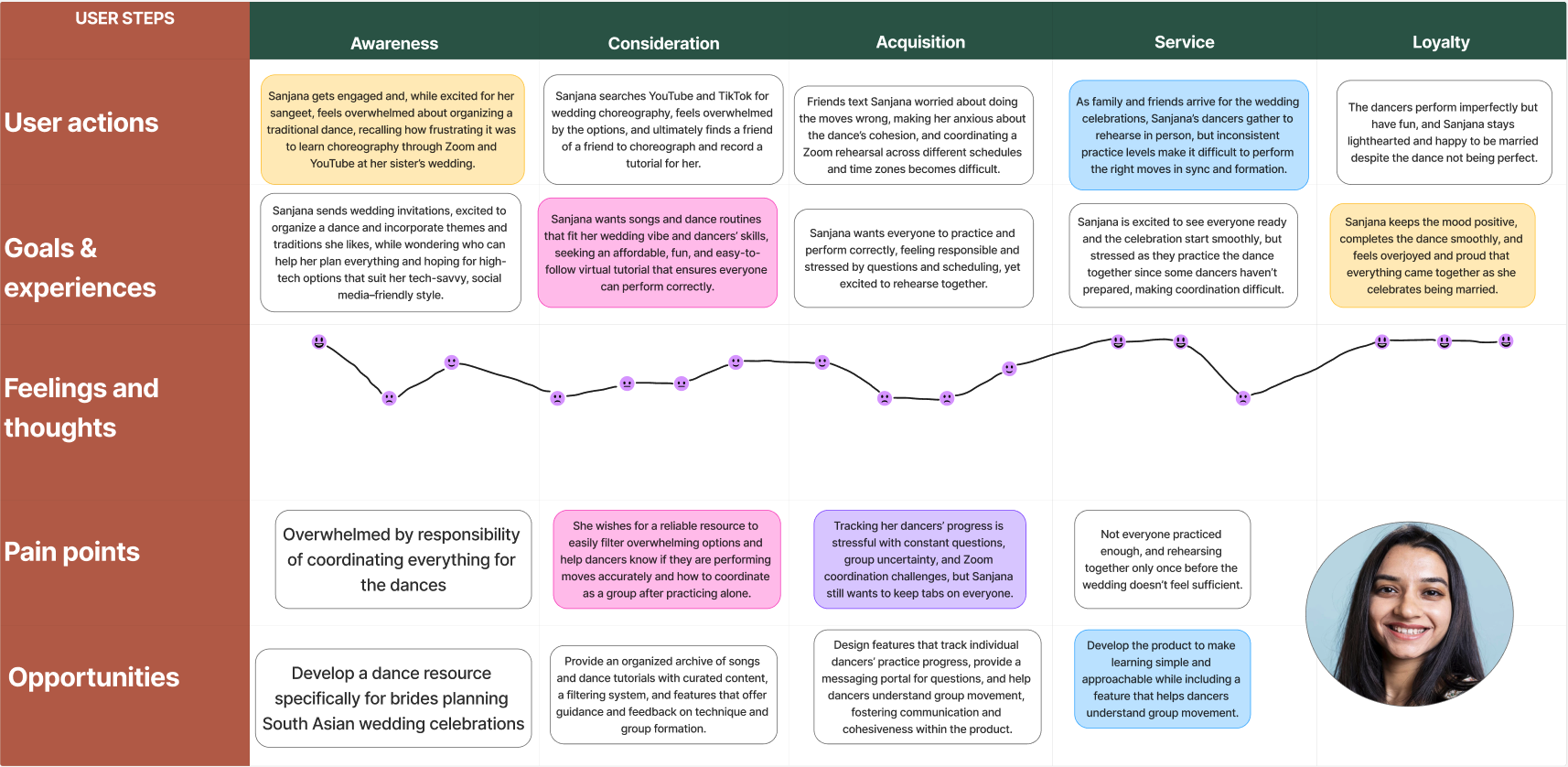
Where Sanjana's experience broke down

User journey map showing friction points Click to expand

05 — Key Insights

Five things research actually told me.

📝

The sign-up was actually a contact form

Users clicked "Join Now" expecting an account. They got a form asking for event details. Most just left.

01
🗺️

Navigation that worked for no one

One nav bar, three completely different users. Nobody could find what was relevant to them — not because the menu was long, but because it wasn't built for anyone specific.

02
👤

Three roles, one blurry experience

A dancer and a choreographer have nothing in common — but the platform treated them identically. Neither felt like the product was meant for them.

03
💰

No pricing meant no trust

This was the one I underestimated going in. Hiding pricing didn't create intrigue — it made people assume the worst and leave before they'd seen anything.

04
📅

The real problem was coordination — and the platform barely touched it

Managing a group dance across time zones and skill levels via WhatsApp is genuinely hard. BollyStep could have solved that. It just never surfaced that it could.

05

From insight to decision

Each finding pushed me toward a specific design choice. Here's the thread.

InsightDesign DecisionImpact
Confusing sign-up → contact formInstant sign-up / log in directly from homepageRemoved #1 drop-off point
Unclear user rolesRole-based nav: Organizer · Dancer · ChoreographerFaster orientation for all users
Overwhelming contentSimplified IA, cleaner hierarchy, clear CTAsReduced cognitive load
Low trust — no pricingPricing transparency + social proof in funnelHigher sign-up intent
No content preview"Explore before commit" — browse dances firstTrust built before sign-up

06 — Site Architecture

Untangling one structure into three clear paths.

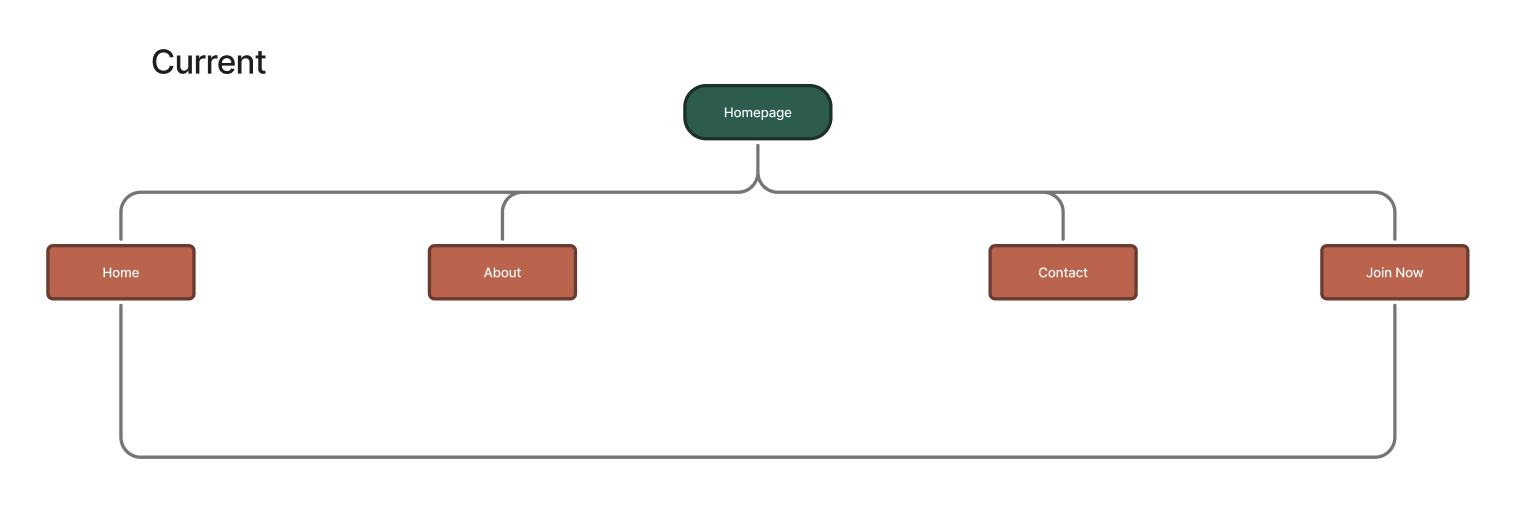
Before — One confusing nav for everyone

Old site architecture — flat, role-agnostic navigation
  • Single navigation for all roles — no differentiation
  • "Join Now" → contact form (not a real sign-up)
  • Marketing site and platform were fully disconnected
  • No choreographer onboarding pathway existed

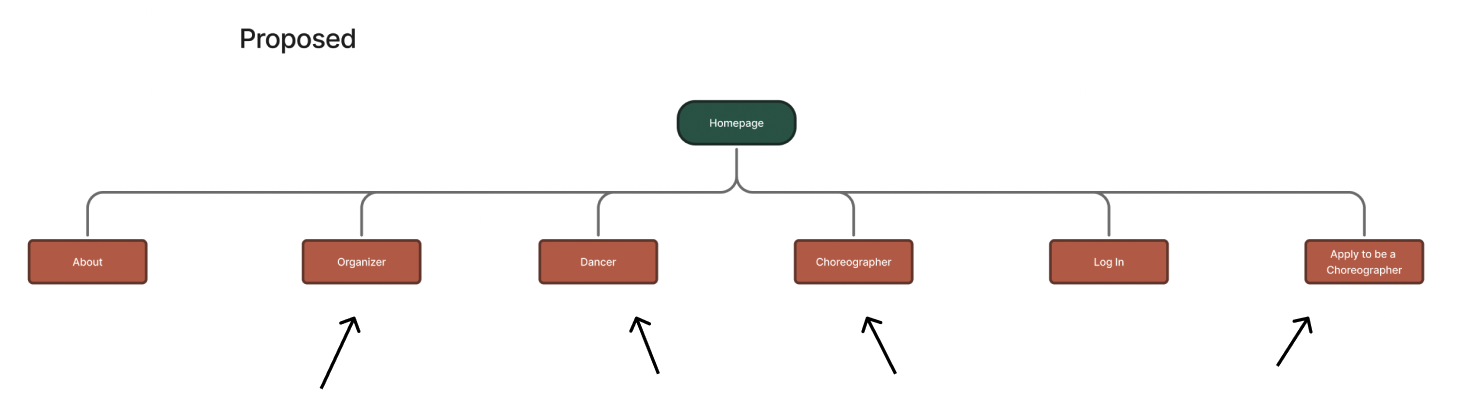
After — Role-based architecture

Redesigned site architecture with dedicated role paths
  • Dedicated pages for Organizers, Dancers & Choreographers
  • Direct Log In / Sign Up from homepage
  • Marketing site + platform unified into one seamless flow
  • "Apply to be a Choreographer" dedicated CTA pathway

06b — User Flows & Ideation

Mapping the friction, then sketching through it.

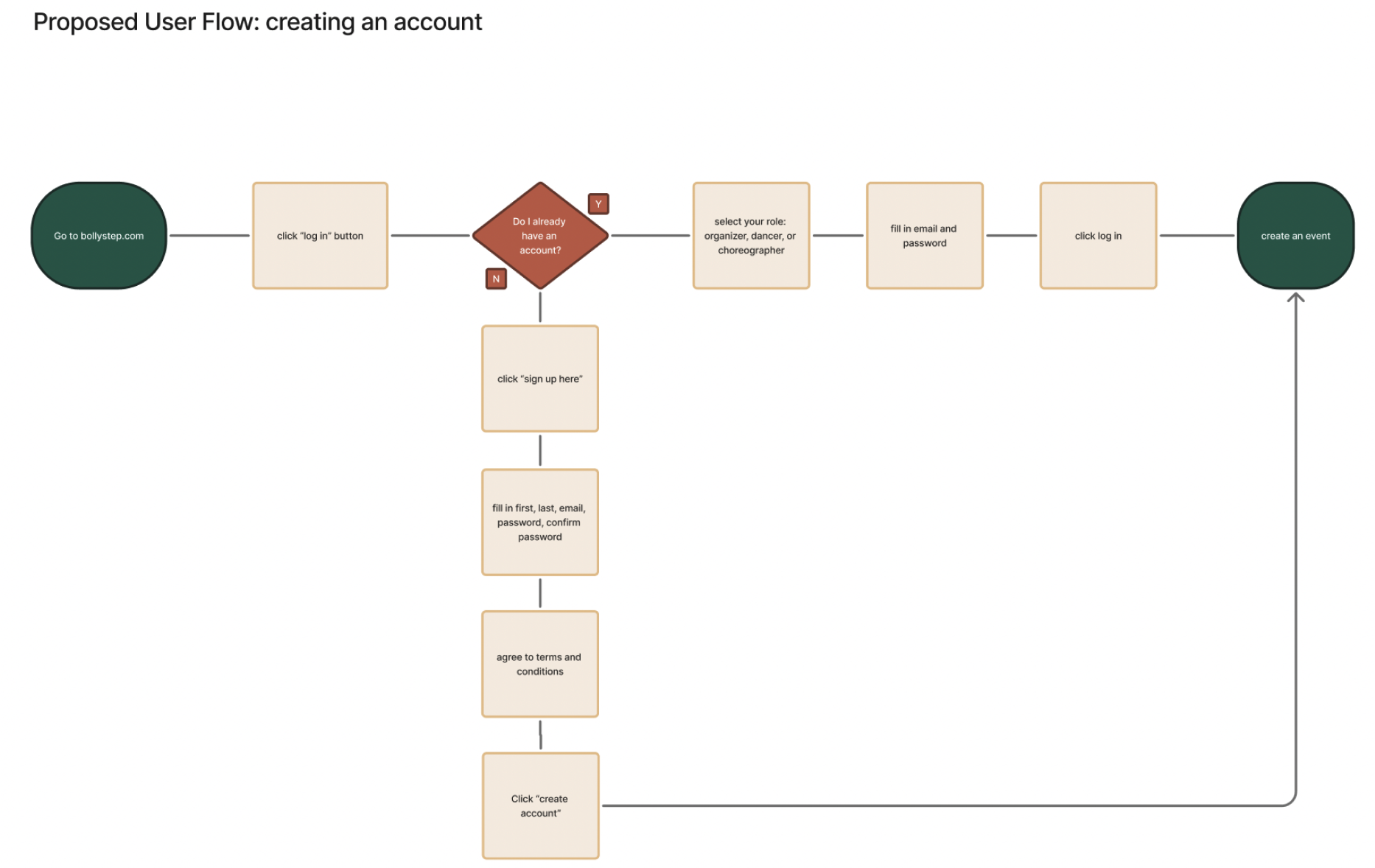
🔄 User Flow — Discovery to Event Creation

User flow from discovery to event creation Click to expand

Mapped decision points across all three roles to find exactly where users were dropping. Seeing the whole flow laid out made it obvious how many dead ends the existing site had baked in.

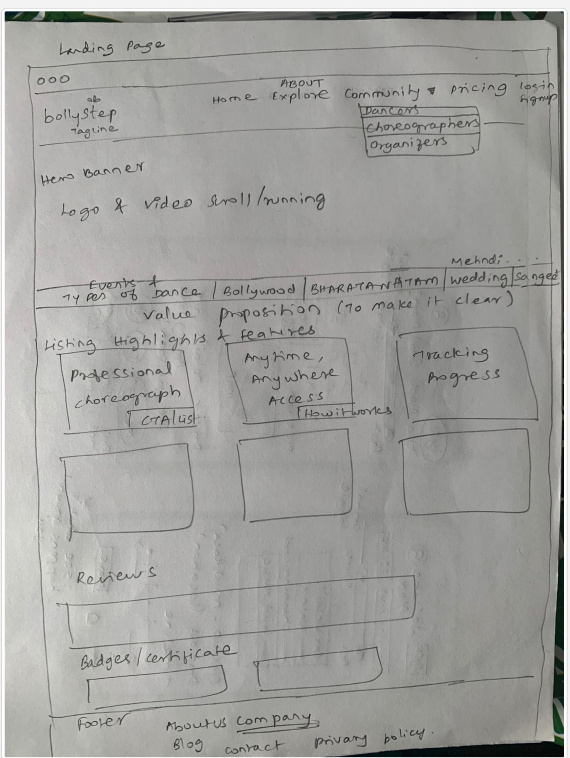
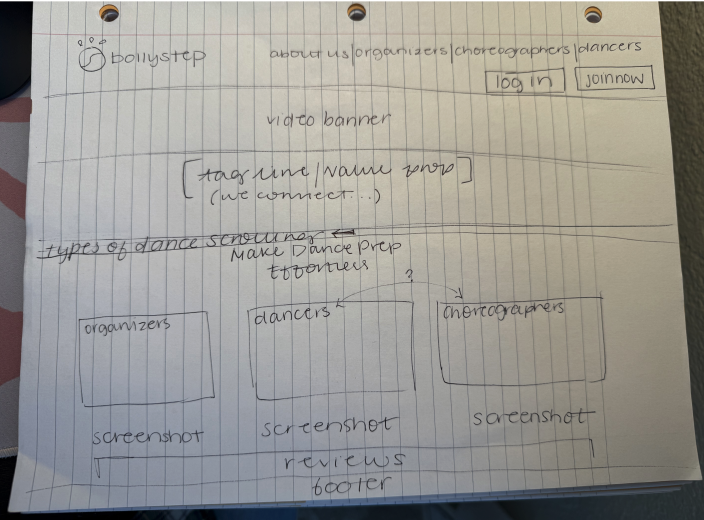
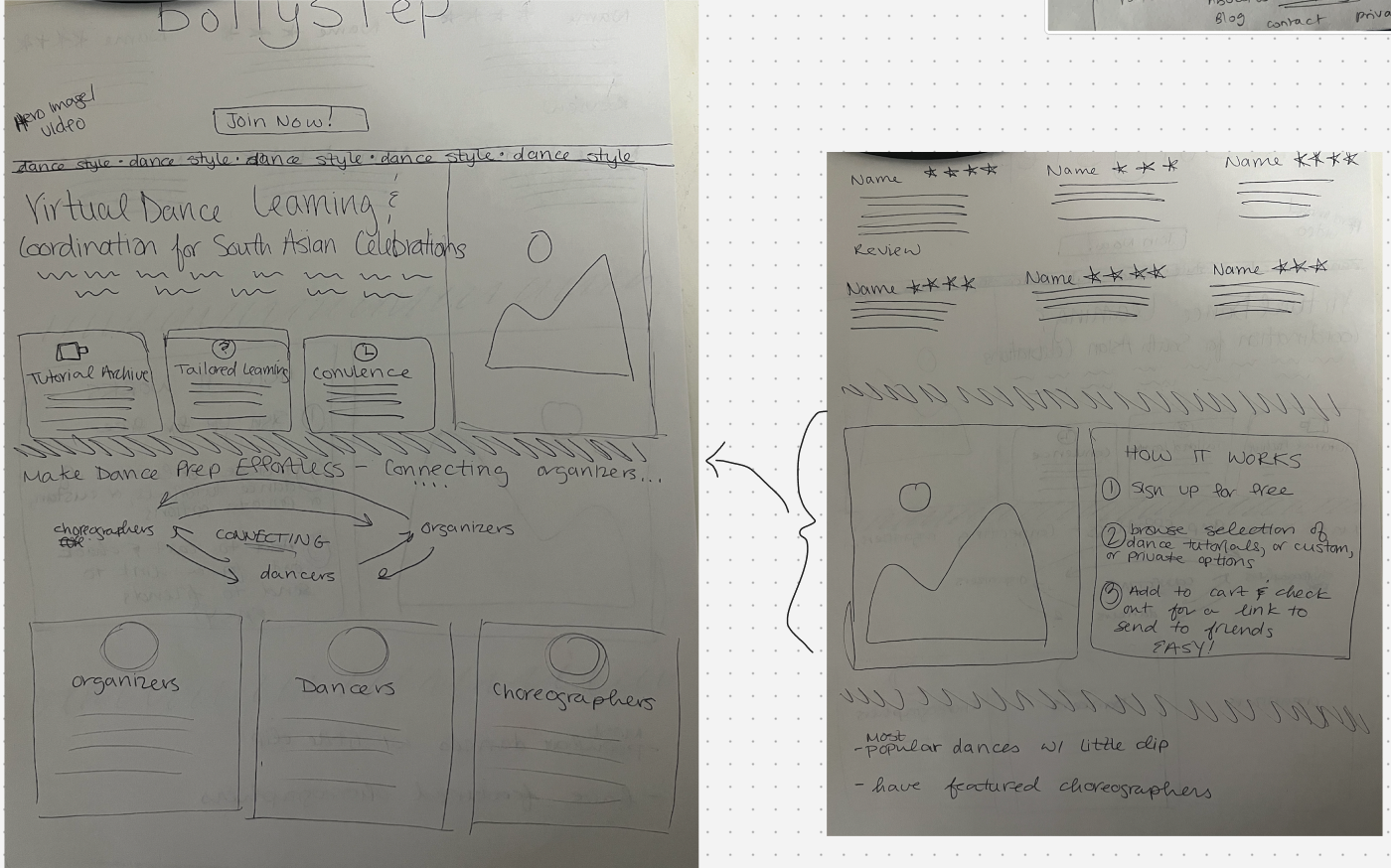
✏️ Ideation — Design Studio

Design studio sketches Click to expand
Design exploration 2 Click to expand
Design exploration 3 Click to expand

I sketched before I opened Figma. Some ideas were bad — which is exactly the point. Getting them out of my head and onto paper made it easier to see what was worth pursuing and what wasn't.


07 — Mid-Fi Wireframes

Structure first, visual polish later.

I learned this the hard way on an earlier project — going high-fidelity too soon means users give feedback on the visuals, not the flow. Mid-fi kept the conversation focused on what mattered.


08 — Final Design

Three decisions that changed the most.

Design Decision 1

Explore before you commit

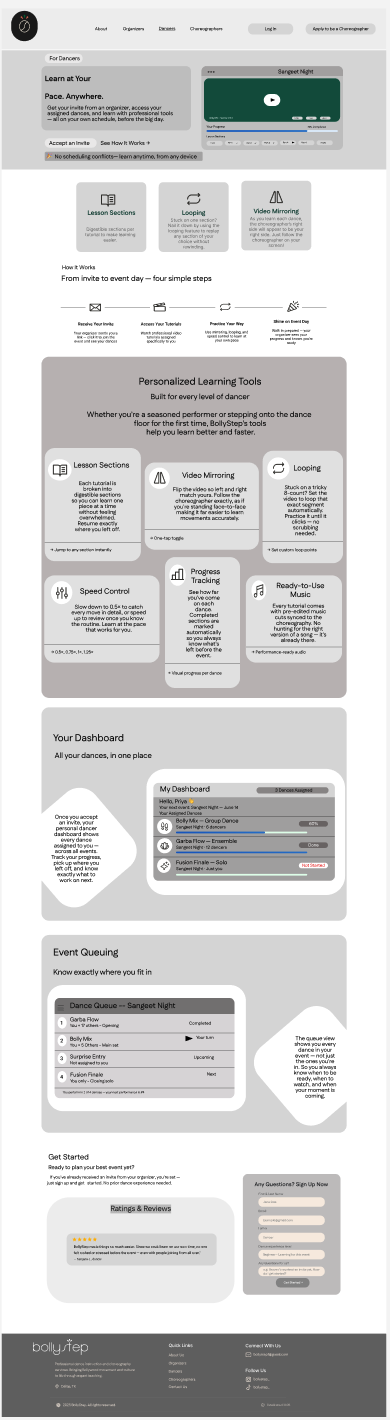
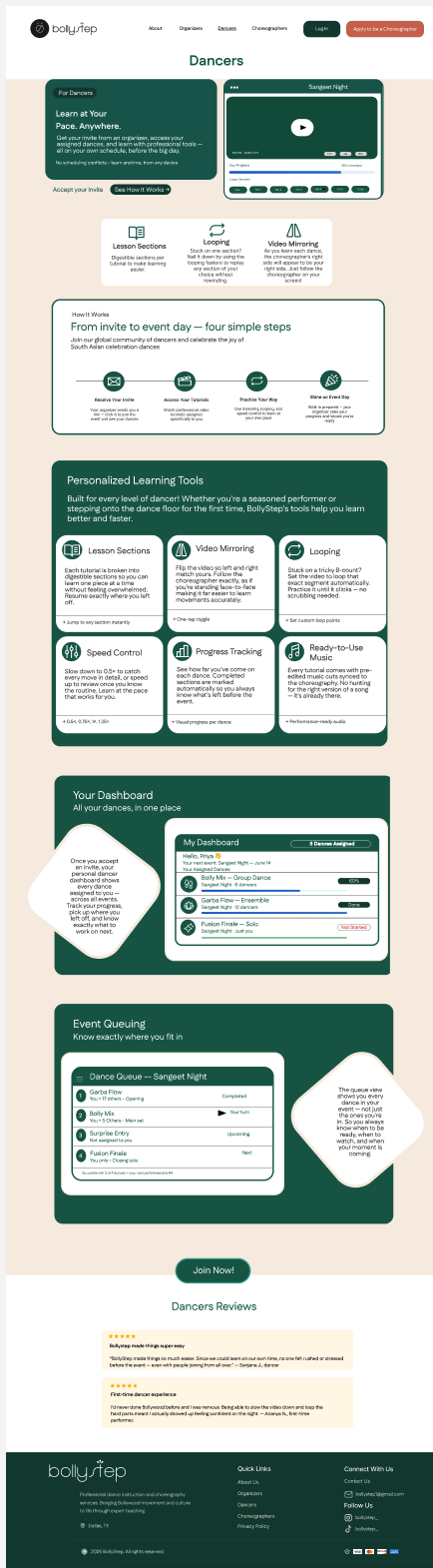
The biggest request from dancer interviews was simple: let me see what I'm getting before I commit. So I made browsing the default — no sign-up wall, no contact form. Preview, then decide.

  • Browse 120+ dance routines by occasion & style
  • Preview video with mirroring and speed control
  • See transparent pricing before sign-up commitment
Dancer role — Explore dance screen
Design Decision 2

Manage everything in one place

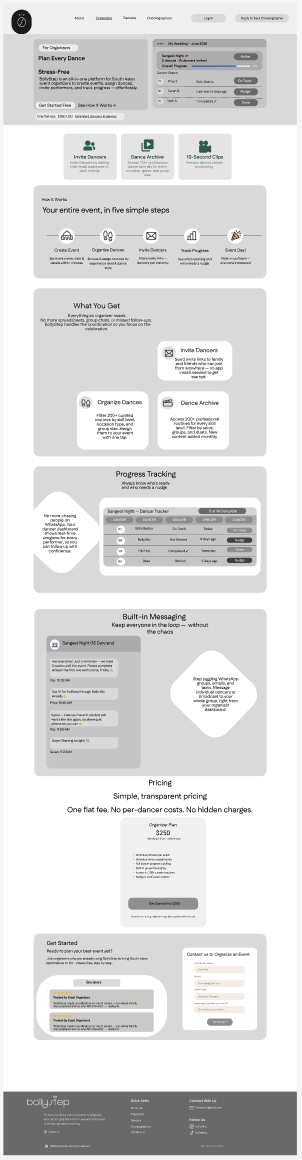
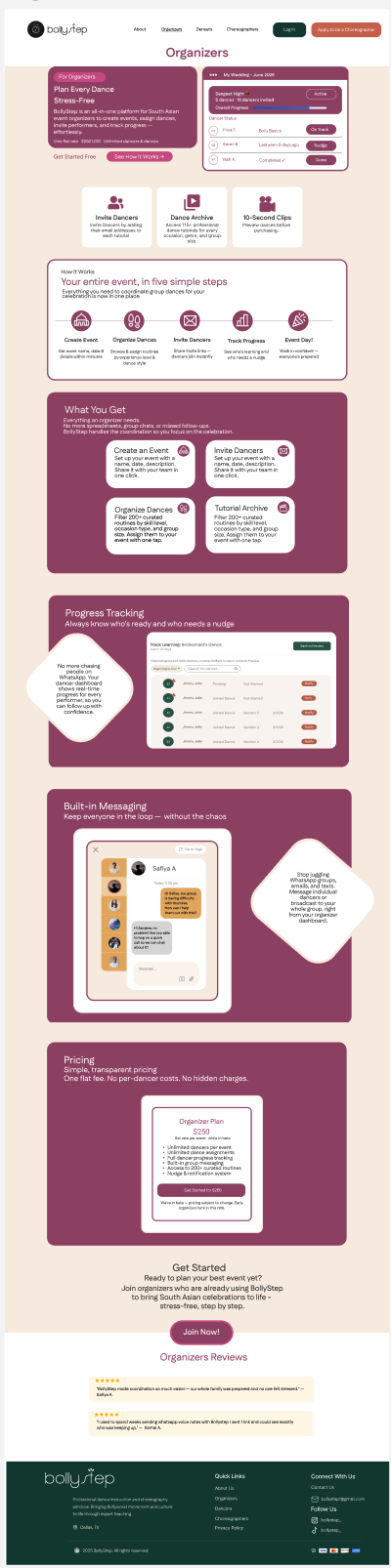
Organizers like Sanjana were running group dances through WhatsApp voice notes. The dashboard gives them one place to invite, assign, and track — so they stop chasing people across five different apps.

  • Invite dancers via email or shareable link
  • Assign routines and track individual learning progress
  • Communicate and schedule within the platform
  • Browse 120+ dance routines by occasion & style
  • See transparent pricing before sign-up commitment
Organizer dashboard — event management
Design Decision 3

Apply, upload, and build your profile

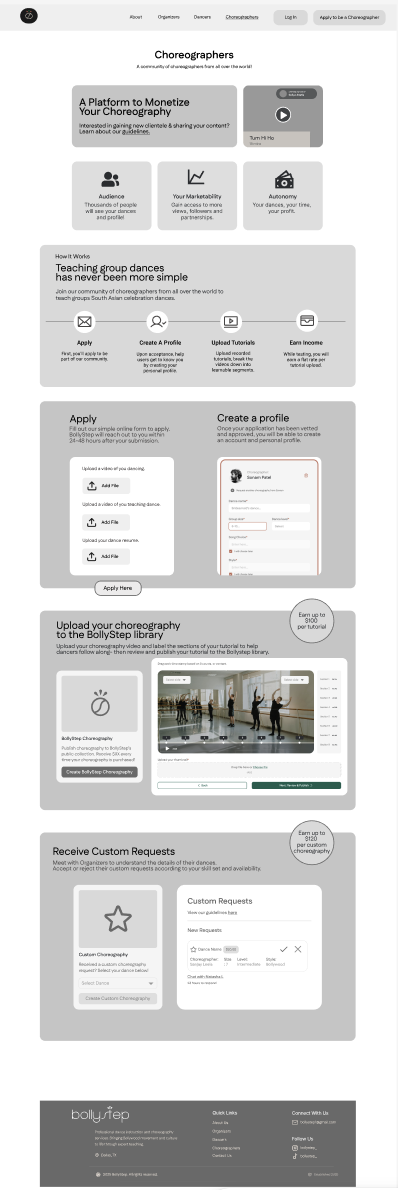
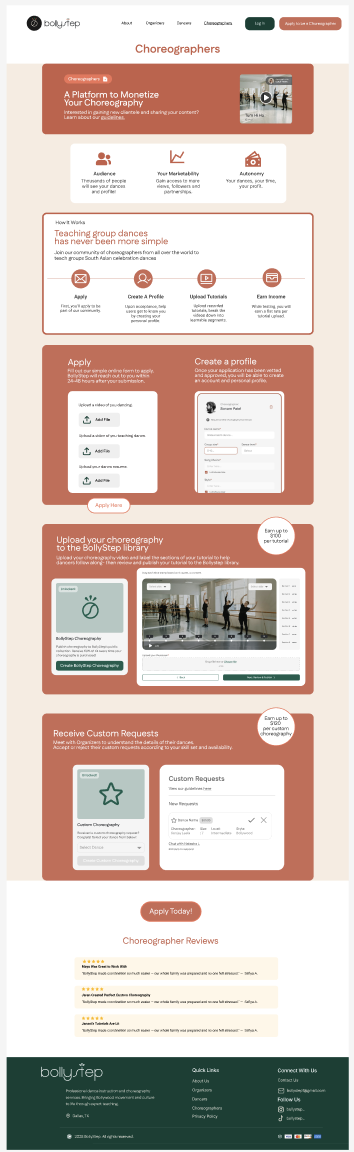
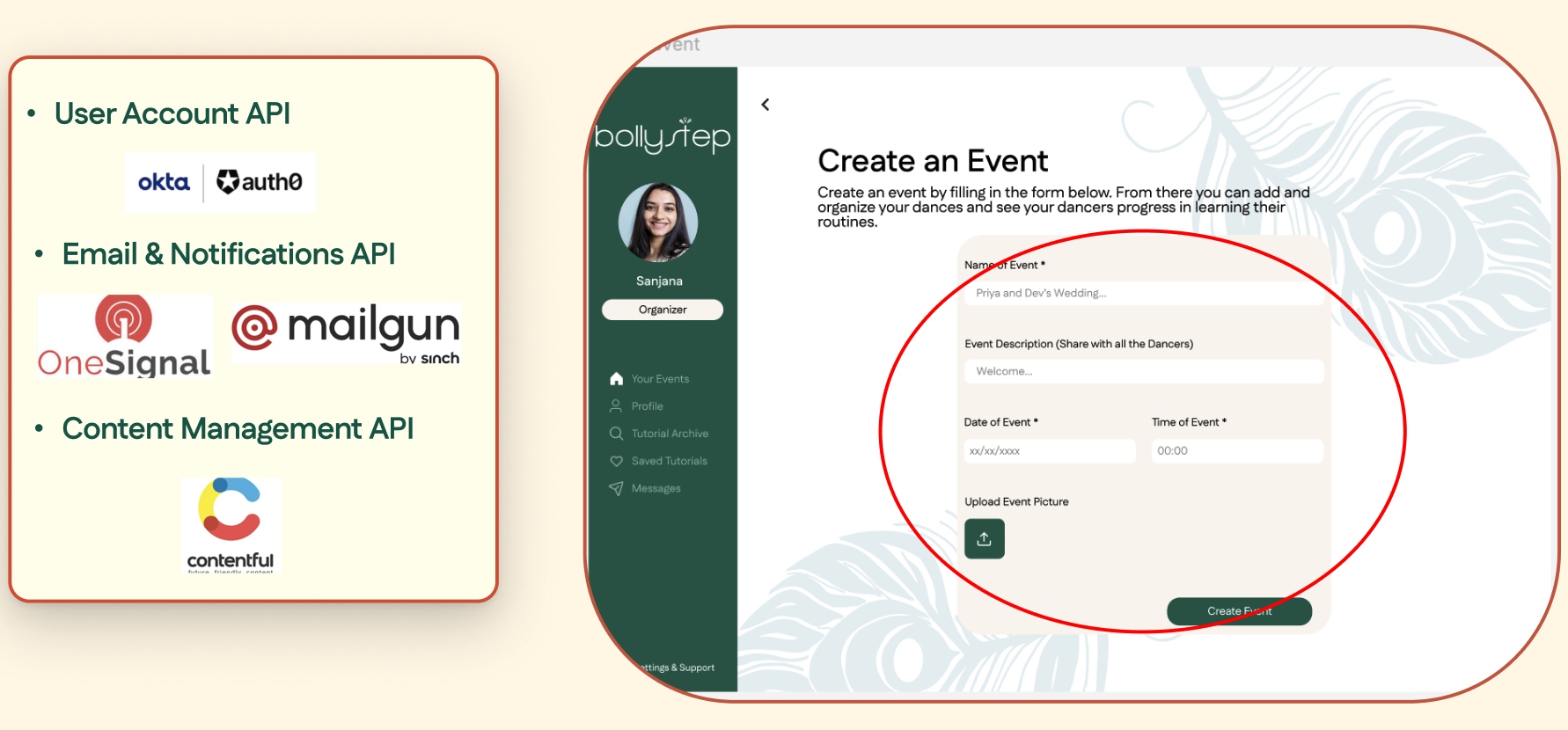
Choreographers had no path at all in the old site — just a contact form everyone else used too. This gives them their own application flow and a profile that shows their work. It's a small thing that signals: you belong here.

  • Dedicated application with clear expectations upfront
  • Upload routines with metadata and difficulty levels
  • Track how many groups are using your routines
Choreographer — Apply and profile screen

See all three experiences in the prototype

Sign-up, dashboard, and core task flows — one for each role.

View Full Prototype ↗

09 — Before / After

The changes that made the biggest difference.

Sign-Up Flow

High Impact
Before
Old sign-up — contact form

Users clicked "Join Now" and hit a contact form asking for their event details. It felt like submitting a request, not signing up. Most didn't get past this.

After
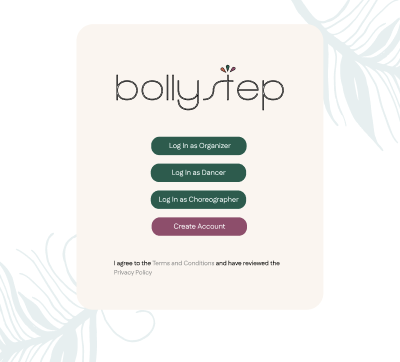
Redesigned sign-up — direct account creation

Email and password. Done. No NDA, no contact form, no guessing whether someone would email you back.

Homepage Navigation

High Impact
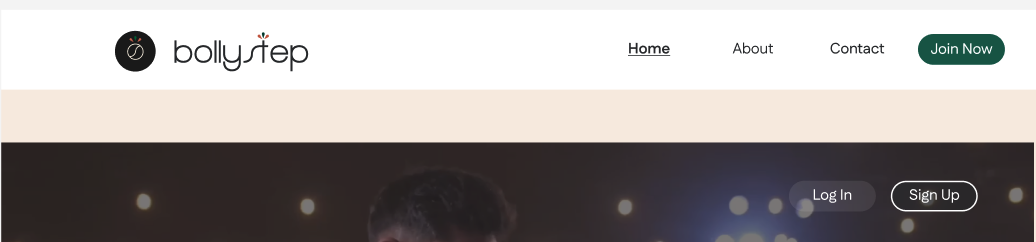
Before
Old navigation

"About", "Pricing", "Join Now" — fine for a generic site, but none of it tells a dancer or a choreographer that this place is for them. Everyone I spoke to felt like a visitor, not a user.

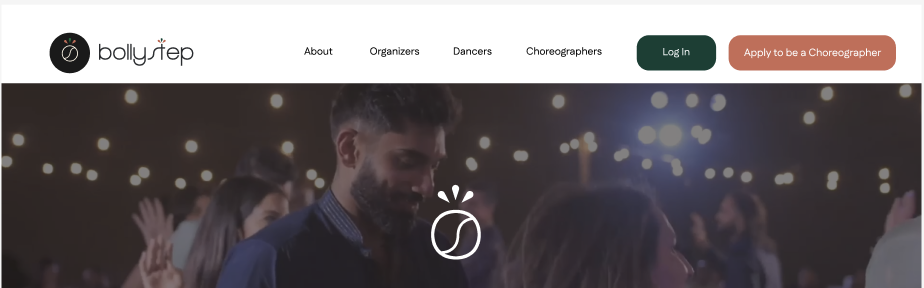
After
New role-based navigation

Organizers · Dancers · Choreographers. Three words that answer the question "is this for me?" before anyone has to scroll.


10 — Usability Testing

Two rounds. The gap between them is where the real work was.

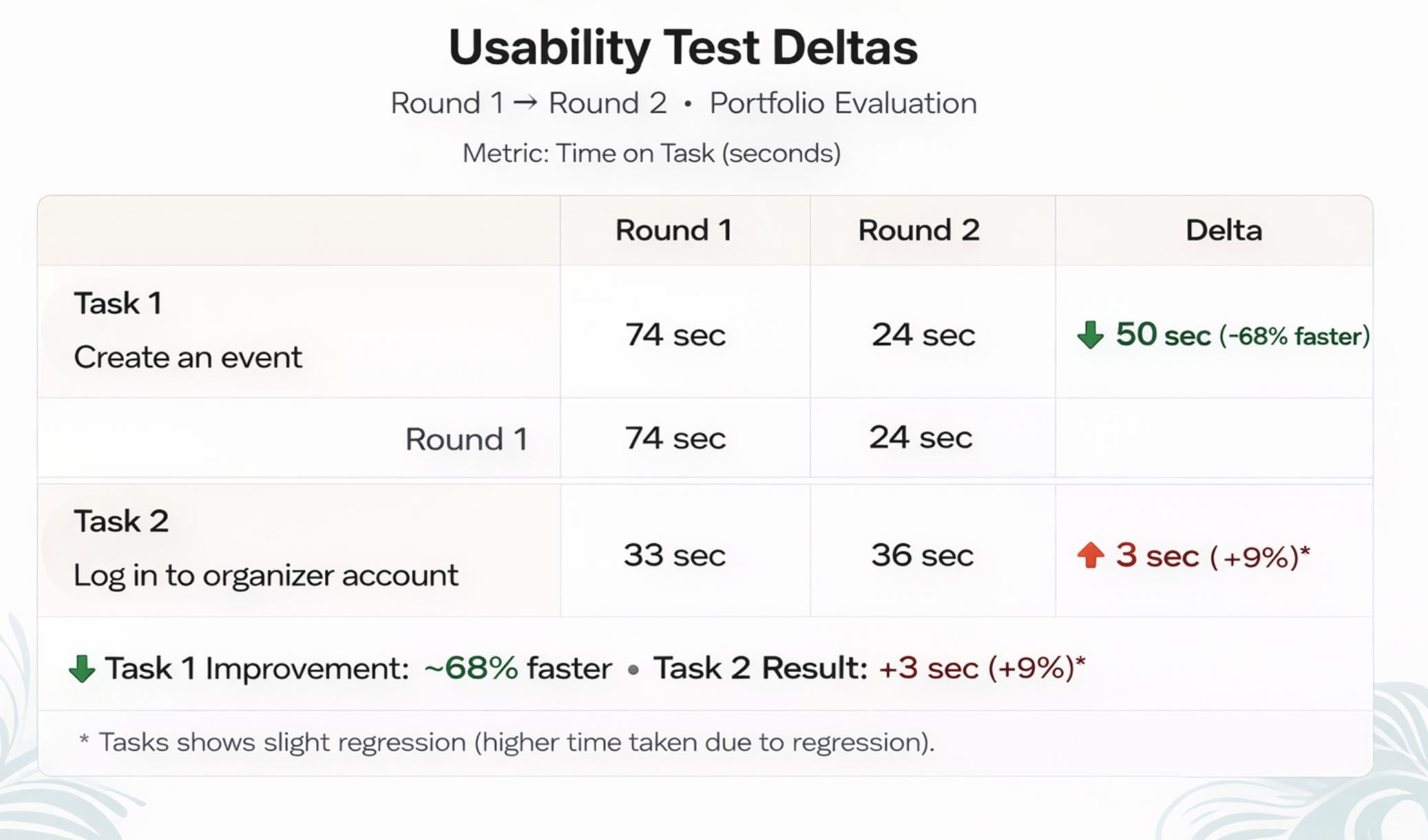
Round 1 was on the existing site — I needed to see how bad it actually was with real users before I could argue for changes. Round 2 was on my mid-fi prototype. The improvement was bigger than I expected, which made me trust the research more.

Round 1 — Existing Site

  • 0% could identify pricing before sign-up
  • All participants confused by the sign-up flow
  • Average 4m 12s to complete core task
  • SUS score: 52 — rated "OK"

Round 2 — Redesigned Prototype

  • 100% could identify pricing before sign-up
  • Users understood their role in <30 seconds
  • Average 1m 26s to complete core task (3× faster)
  • SUS score: 87 — rated "Excellent"
Usability testing results and findings Click to expand

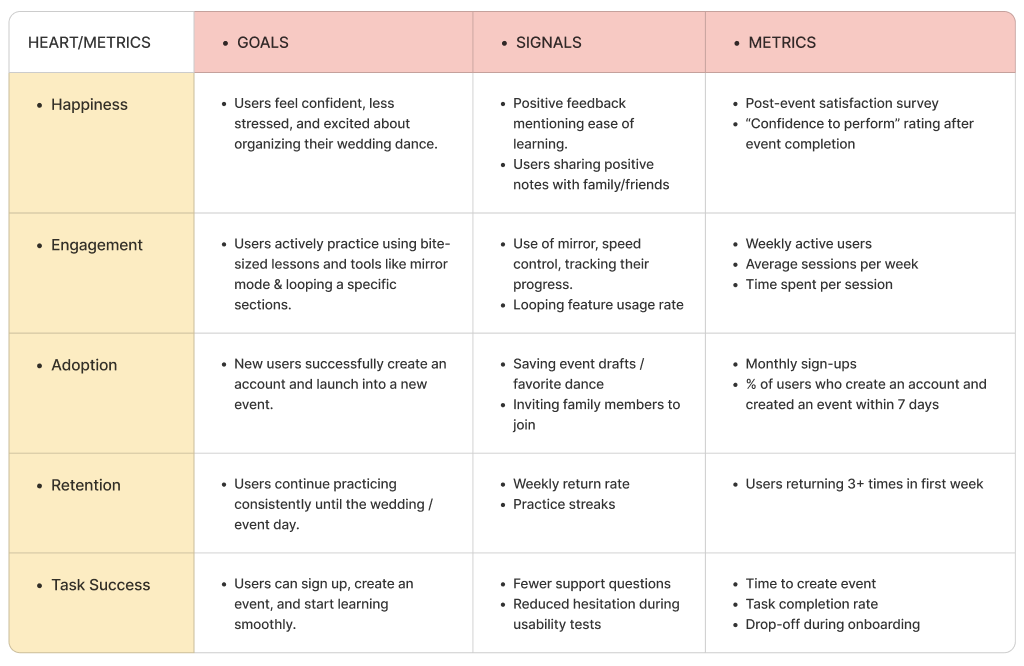
📊 Key Metrics

HEART metrics framework — goals, signals and metrics Click to expand

Tracked impact across usability, adoption, and satisfaction using the HEART framework — useful for making the outcomes legible beyond just "it felt better".

🚀 Next Steps & Recommendations

Next steps — API integrations and post-launch roadmap Click to expand

Recommendations for what comes after — what I'd prioritise in a next sprint, and what I'd need to learn more about before designing it.

Faster task completion

4m 12s → 1m 26s for core task

💰 100%
Pricing clarity
0% → 100% in Round 2

87
SUS Score (R2)

Up from 52 — "OK" to "Excellent"

🎯 +35
SUS point gain

Largest single-sprint gain in the cohort


10b — Style Guide

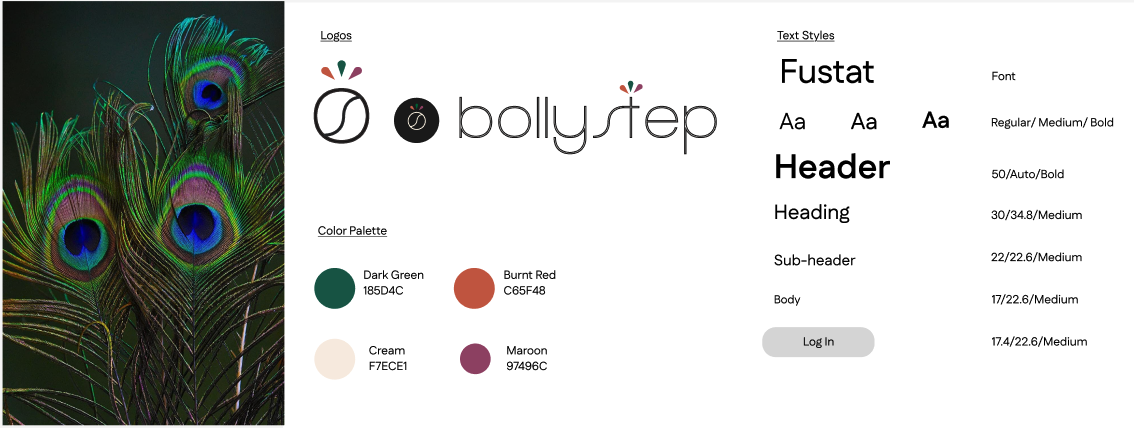
A visual language that felt like the culture, not just the colours.

I wanted the design to feel warm and South Asian without leaning on clichés. The palette came from research into the emotional tone users associated with weddings and celebration — not from picking colours that "looked Indian".

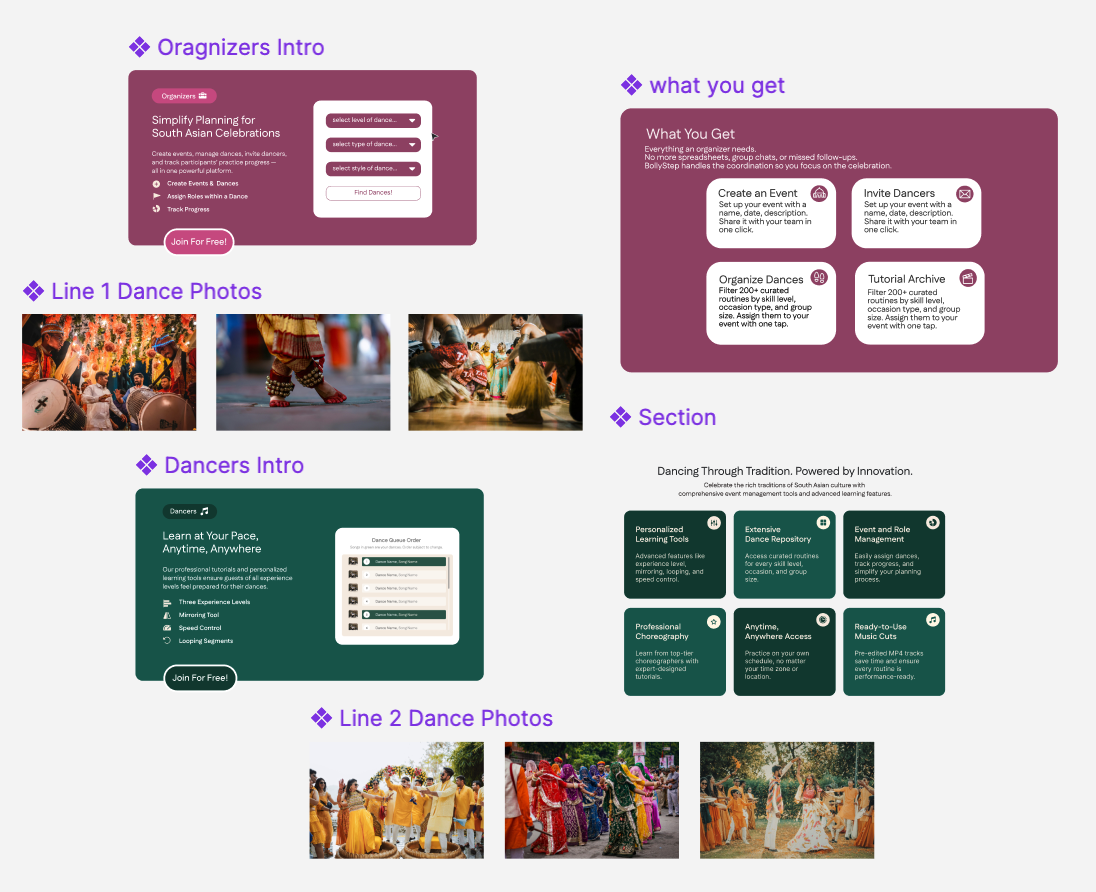
BollyStep style guide — colours, typography, and components Click to expand

10c — Design System / Components

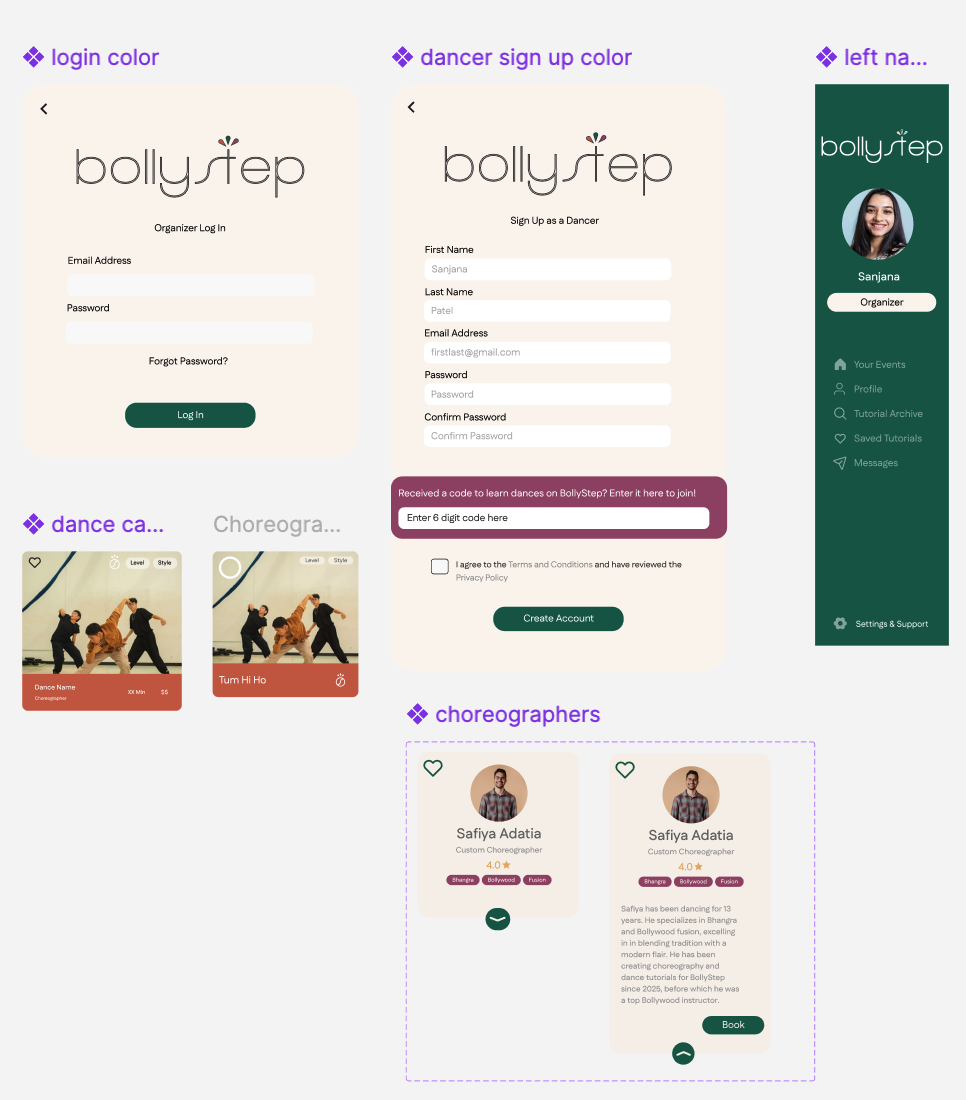
Building components so the next iteration doesn't start from scratch.

This was new for me — I'd never documented a component library before this project. It took longer than I expected, but by the end I understood why it matters: every decision is written down, so future changes are conversations, not guesswork.

Component library — sheet 1 Click to expand
Component library — sheet 2 Click to expand
Component library — sheet 3 Click to expand
Component library — sheet 4 Click to expand

11 — Reflection

What I'd tell myself at the start of this project.

🎭

Start with who, before what

I went in thinking about navigation structure. The biggest unlock was stepping back and asking: who is actually here, and what do they need in the first 30 seconds? Everything else flowed from answering that first.

🛡️

Trust isn't a copy problem — it's a structure problem

I kept thinking the trust issues were about wording. They weren't. Pricing hidden three clicks deep doesn't become trustworthy with better language. It needs to be in the right place — which is an IA decision, not a writing one.

Three weeks is not very long

It forced me to make calls I wasn't confident about and move anyway. That was uncomfortable. But heuristic evaluation gave me something concrete to point at when I had to justify a decision — which helped a lot when I wasn't sure of my own instincts yet.

🔗

Most dancers never saw the homepage

They came in through a forwarded link from the organizer. I'd spent most of my time designing the homepage. This was a useful reminder that the front door isn't always where people actually enter — and I should have mapped that earlier.

🌏

I didn't go deep enough on the cultural layer

South Asian weddings carry a lot of emotion — performance anxiety, family pressure, wanting to do something meaningful together. I solved the functional problems. The emotional ones — the delight moments, the sense of occasion — I left on the table. That's what I'd focus on next.

🔮

If I had another sprint

I'd design a rehearsal mode where the group can practice together in real time — even across time zones. That's the thing Sanjana actually needed, and a static video library only gets you halfway there. That's where the real coordination problem lives.

Want to see how it all flows together?

The Figma prototype covers sign-up, the dashboard, and the core task flows for all three roles. It's the clearest way to see the decisions in context.