
The project that taught me category labels are a design decision — and that "logical" categorisation is usually just the designer's logic, not the user's.
Occasion-based navigation, cultural context on every product page, and a structure that came directly from what users showed me in card sorting — not what I assumed upfront.
I thought the navigation just needed tidying. A cleaner menu, better labels. Card sorting showed me the whole categorisation logic was wrong — users didn't think about these products by type, they thought about them by occasion. That changed the entire structure.

Sneakpeak1

Sneakpeak2
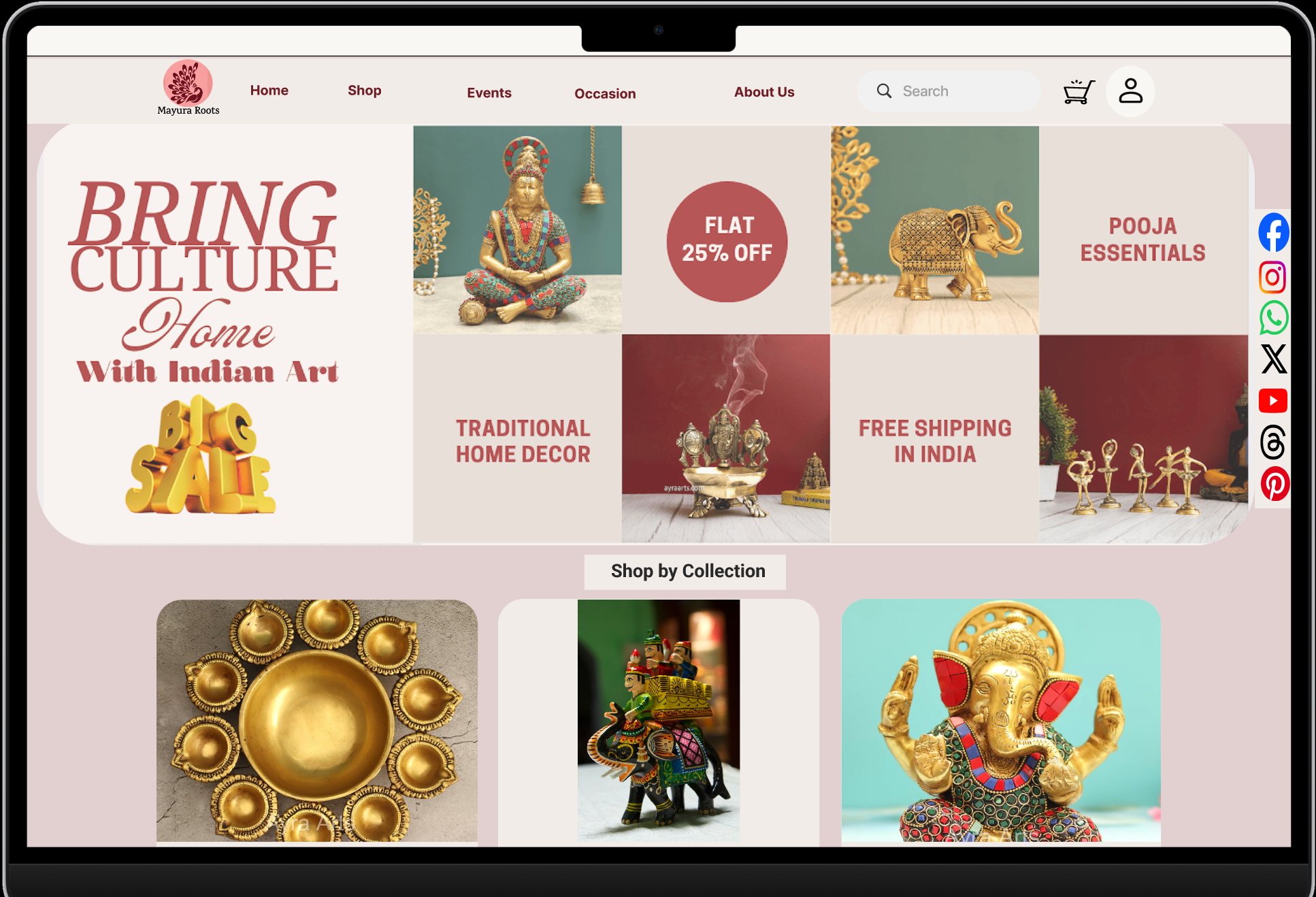
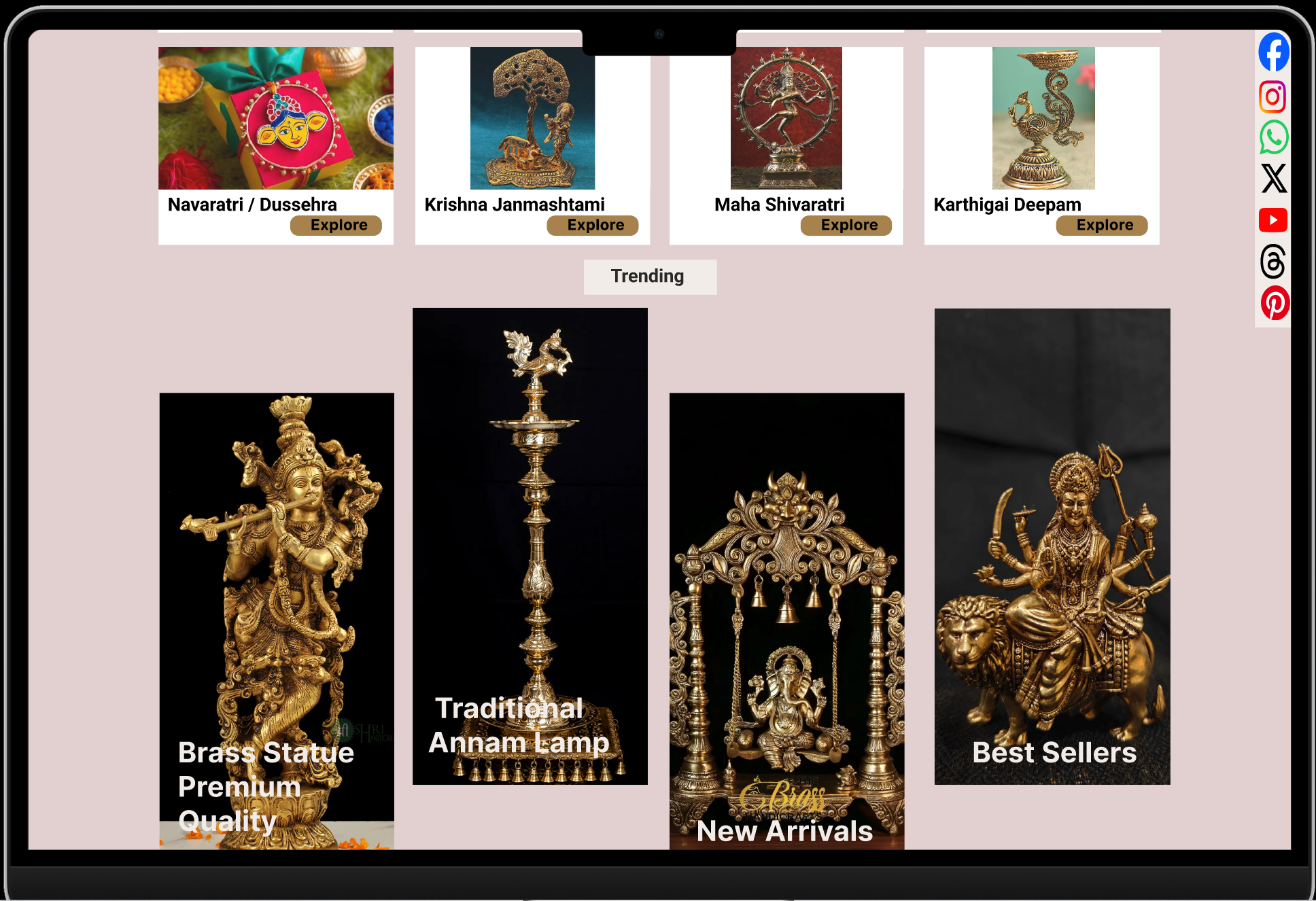
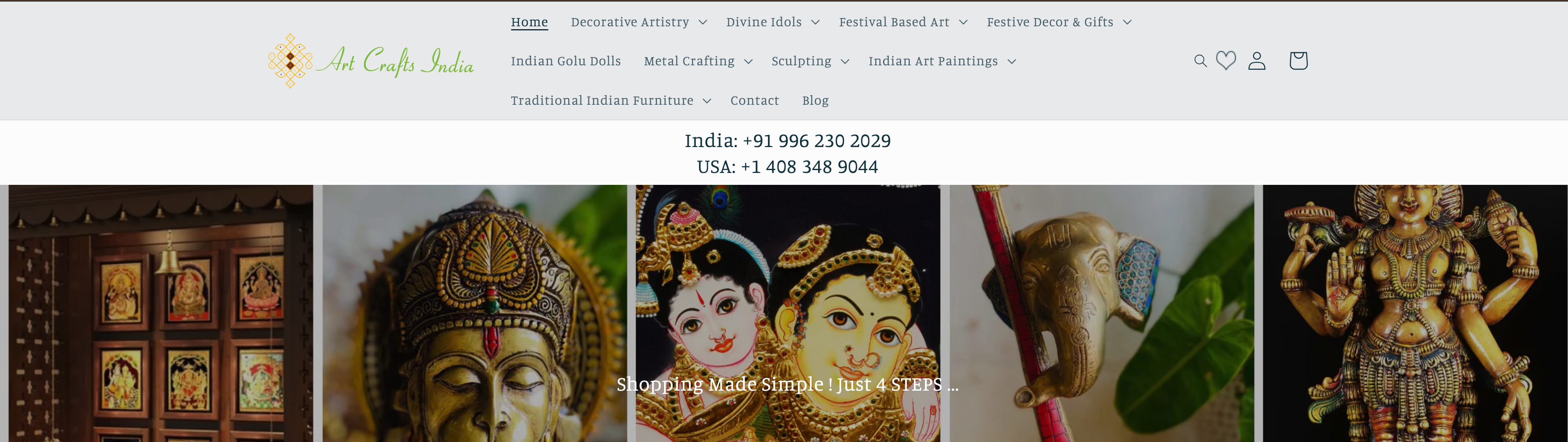
Mayura Roots sells genuine traditional Indian products — but the site was organised in a way that made sense to the supplier, not the buyer. Users couldn't find things, couldn't understand them, and couldn't tell if they were real.
Products were grouped by how they were sourced, not by when or why someone would buy them. Users shopping for a wedding had no idea where to start.
No origin, no meaning, no usage guidance. For a buyer who doesn't already know what a sindoor dabba is for, the bare listing gave them no reason to add it to their cart.
Outdated visuals and sparse product pages made it hard to trust that the products were authentic — even when they genuinely were.
New shoppers wanted someone to explain what they were looking at — the site gave them nothing. Every interview mentioned feeling like they needed a knowledgeable friend to help them shop.
"People who want to buy these products can't navigate to them, can't understand them, and can't tell if they're genuine. The site has all three problems at once — and they compound each other."
— My synthesis after research
How might we redesign the product detail page to build trust and confidence for buyers?
Help users understand the cultural significance of products before purchasing?
Guide users like a knowledgeable shopkeeper in a physical cultural store?
I ran a full Double Diamond — broad research to understand the problem, then convergence on what to actually fix. The card sorting result was the one I didn't see coming.
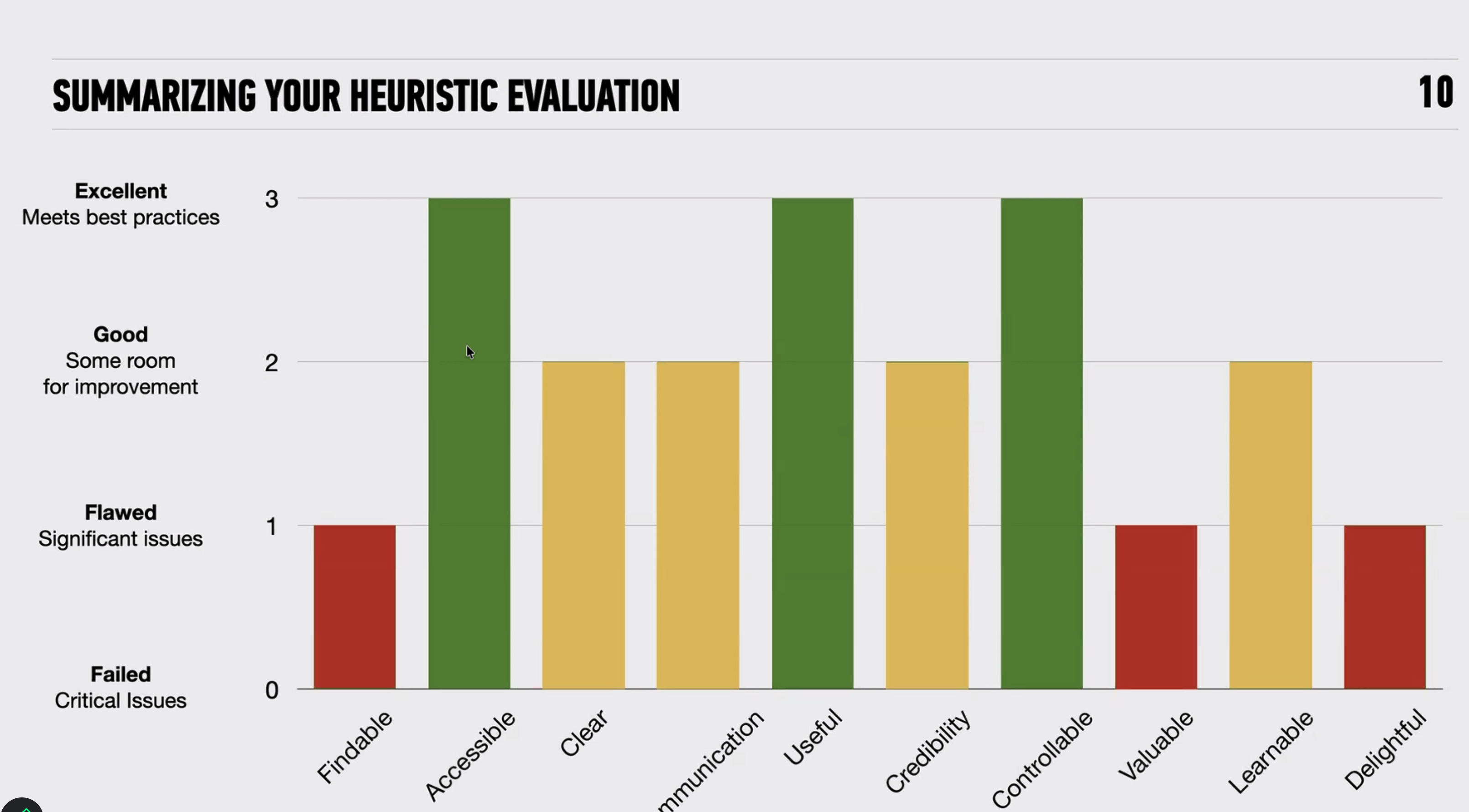
Multiple violations across Nielsen's 10 heuristics — navigation consistency, unclear affordances, no error prevention. Useful for building the case that the problems were structural, not just cosmetic.
Click to expand
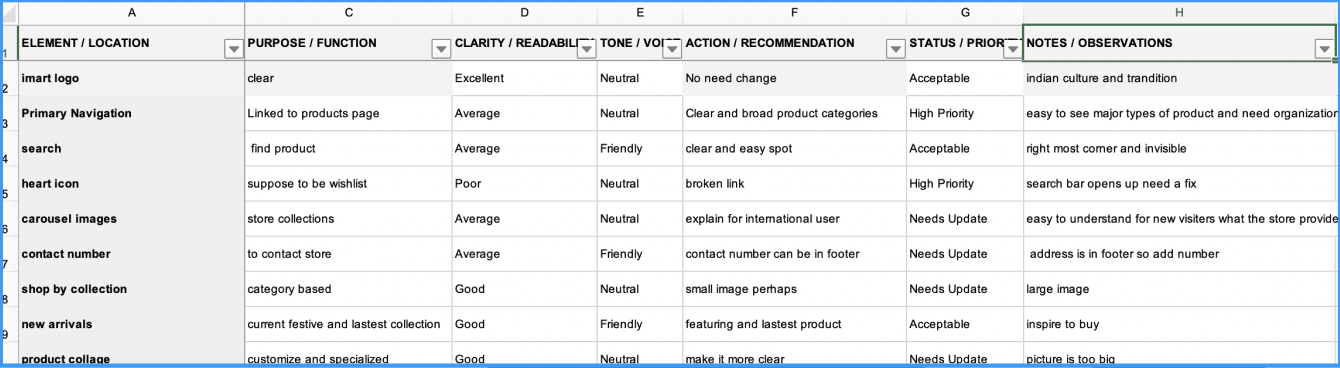
Reviewed every page for clarity. Product descriptions were thin — often just a name and a price. Cultural context was almost completely absent. The audit made visible what interviews were saying: there was nothing to help someone understand what they were looking at.
Click to expand
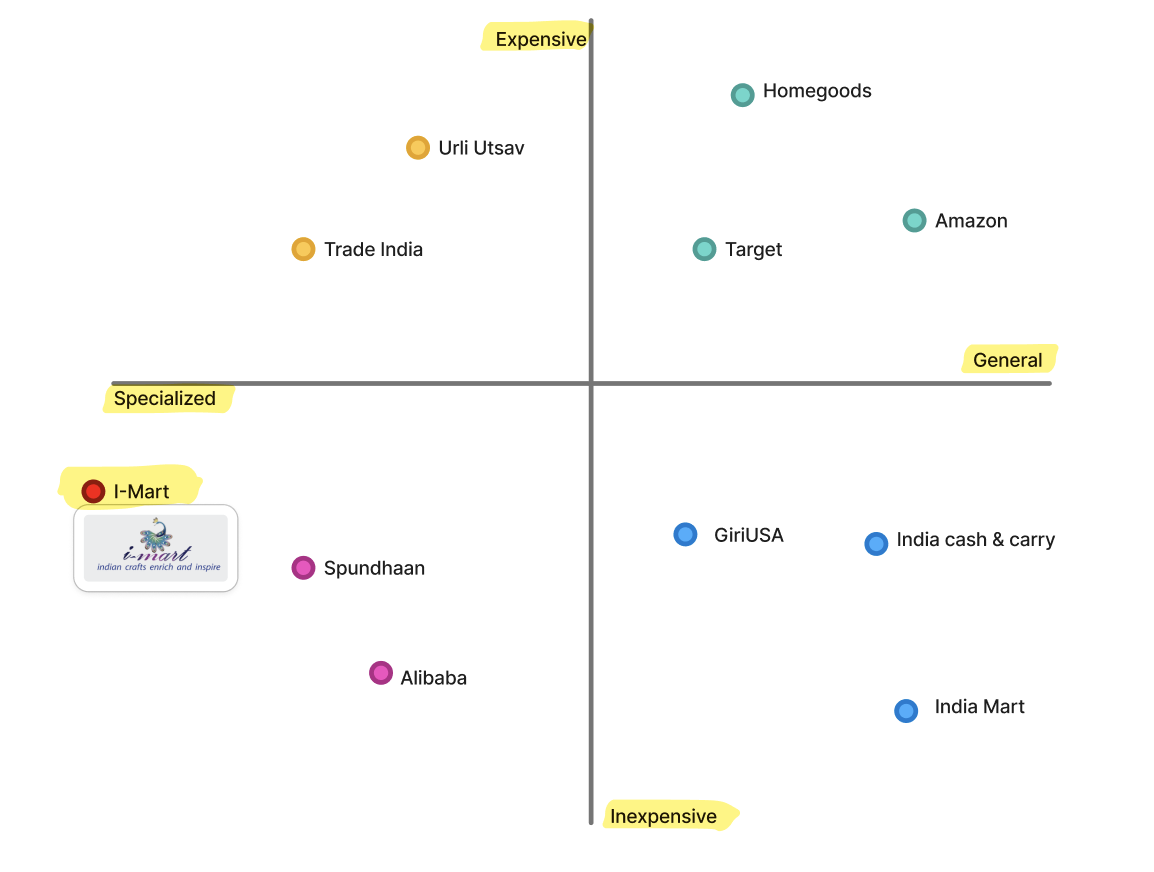
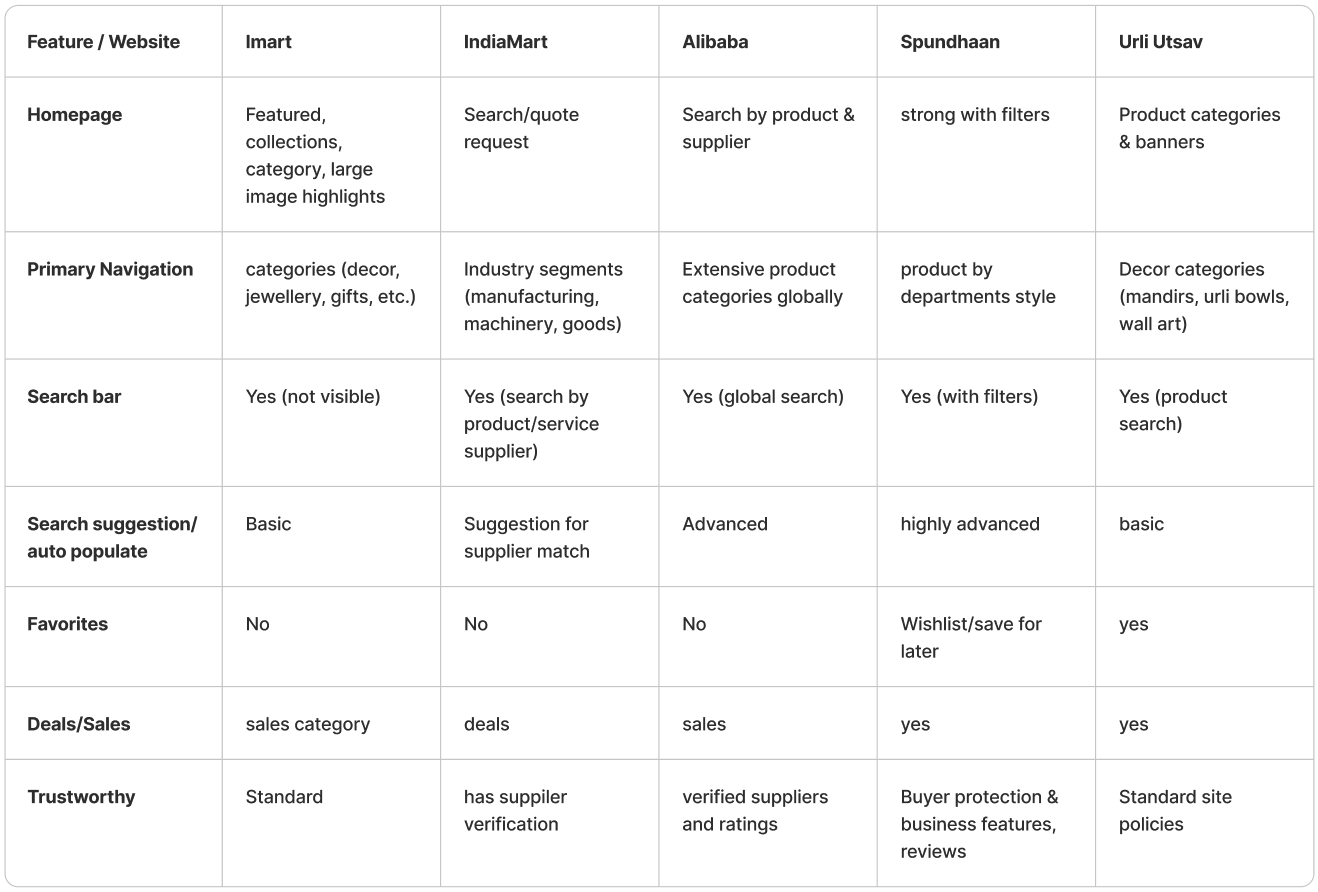
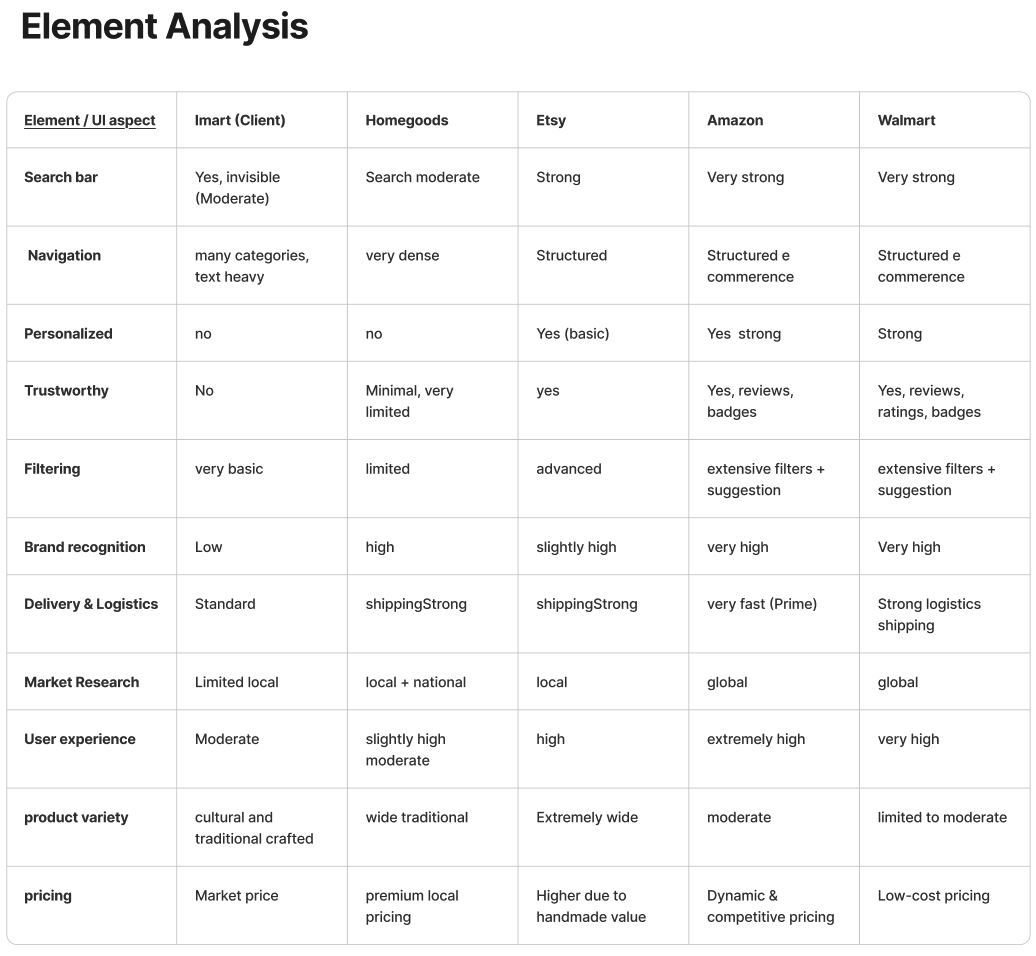
Looked at other cultural e-commerce platforms and non-cultural comparators with strong storytelling. The clearest pattern: the sites users trusted most explained their products — they didn't just list them.
Click to expand
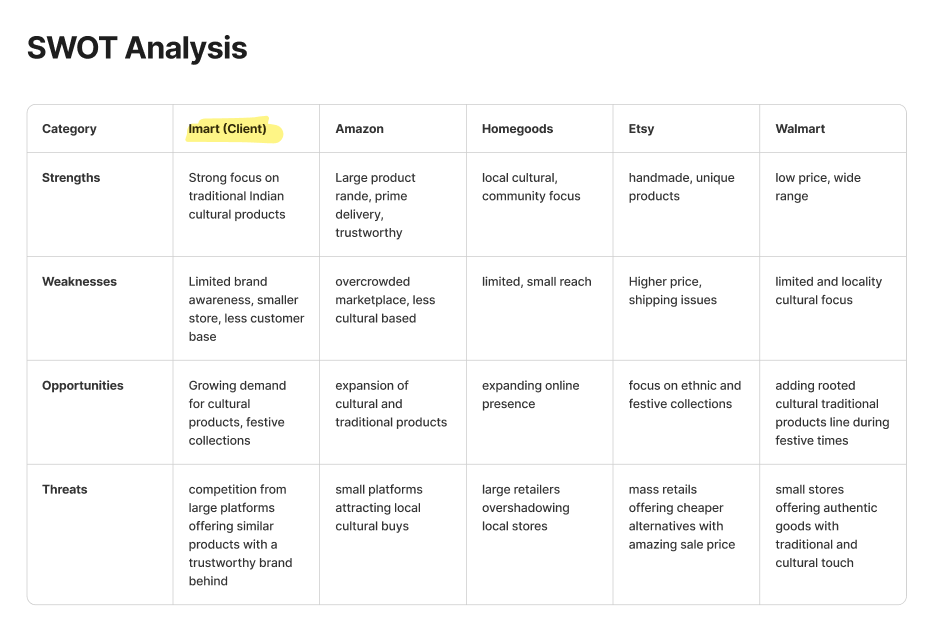
The strengths were real — genuinely unique products with authentic sourcing. But the opportunity gap was large: no competitor was doing cultural storytelling well. That became the design direction.
Click to expandMapped features from competitor research and user interviews to identify what the MVP actually needed. Trust signals and cultural context kept coming to the top — not feature quantity.
Click to expandWent through the UI component by component — microcopy, CTAs, product page structure. Most components were doing too many jobs at once or none clearly. The product detail page needed the most work.
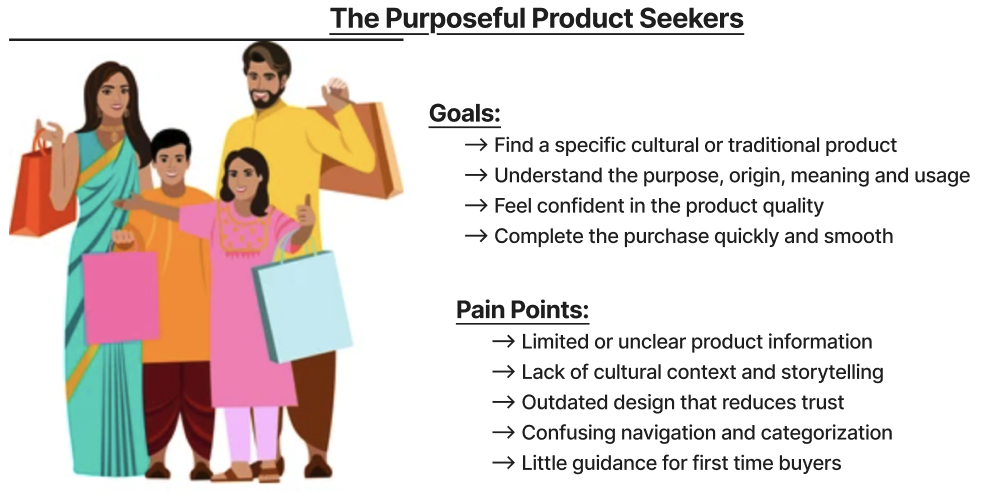
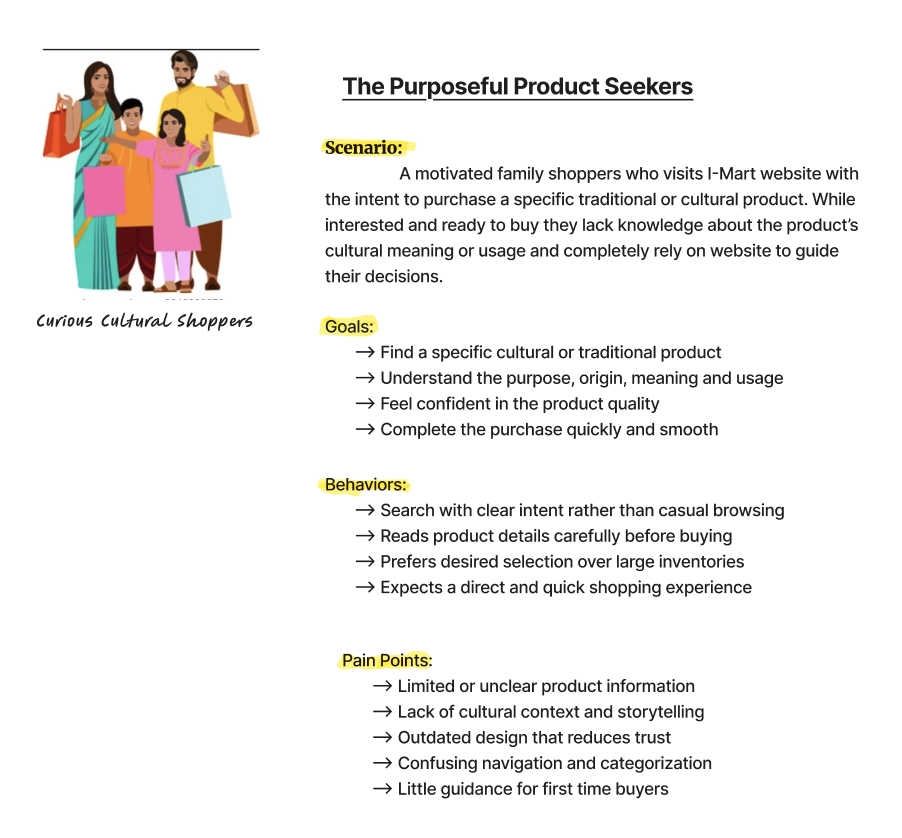
Click to expandThey already know they want to buy something — a specific item for a wedding, a puja, a festival. They're motivated. But they need the site to answer questions they might feel awkward asking: what is this exactly, how do I use it, is it the real thing?
Click to expand
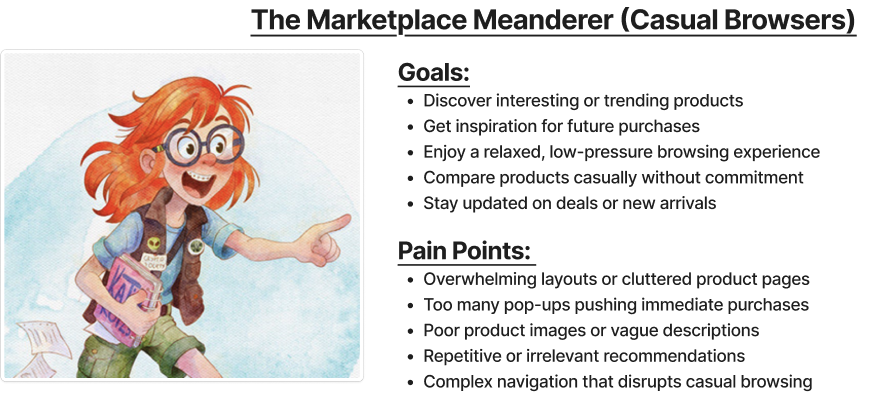
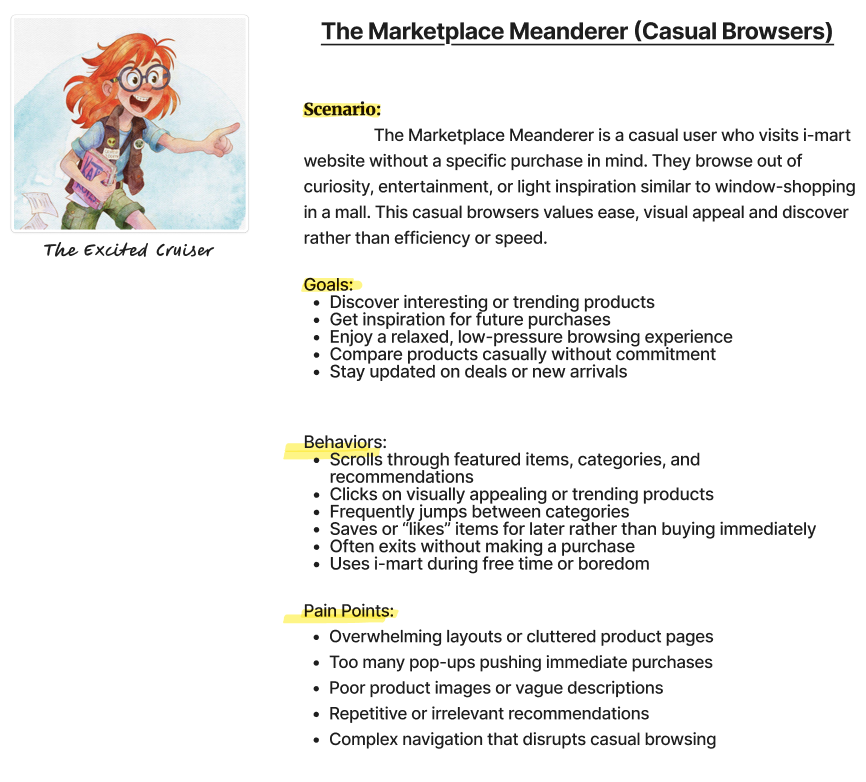
They're not shopping with a list. They're browsing the way you'd walk through a market — curious, open, drawn in by things they don't quite recognise. They want to learn. If the site can teach them something interesting, they'll stay. And sometimes they'll buy.
Click to expand
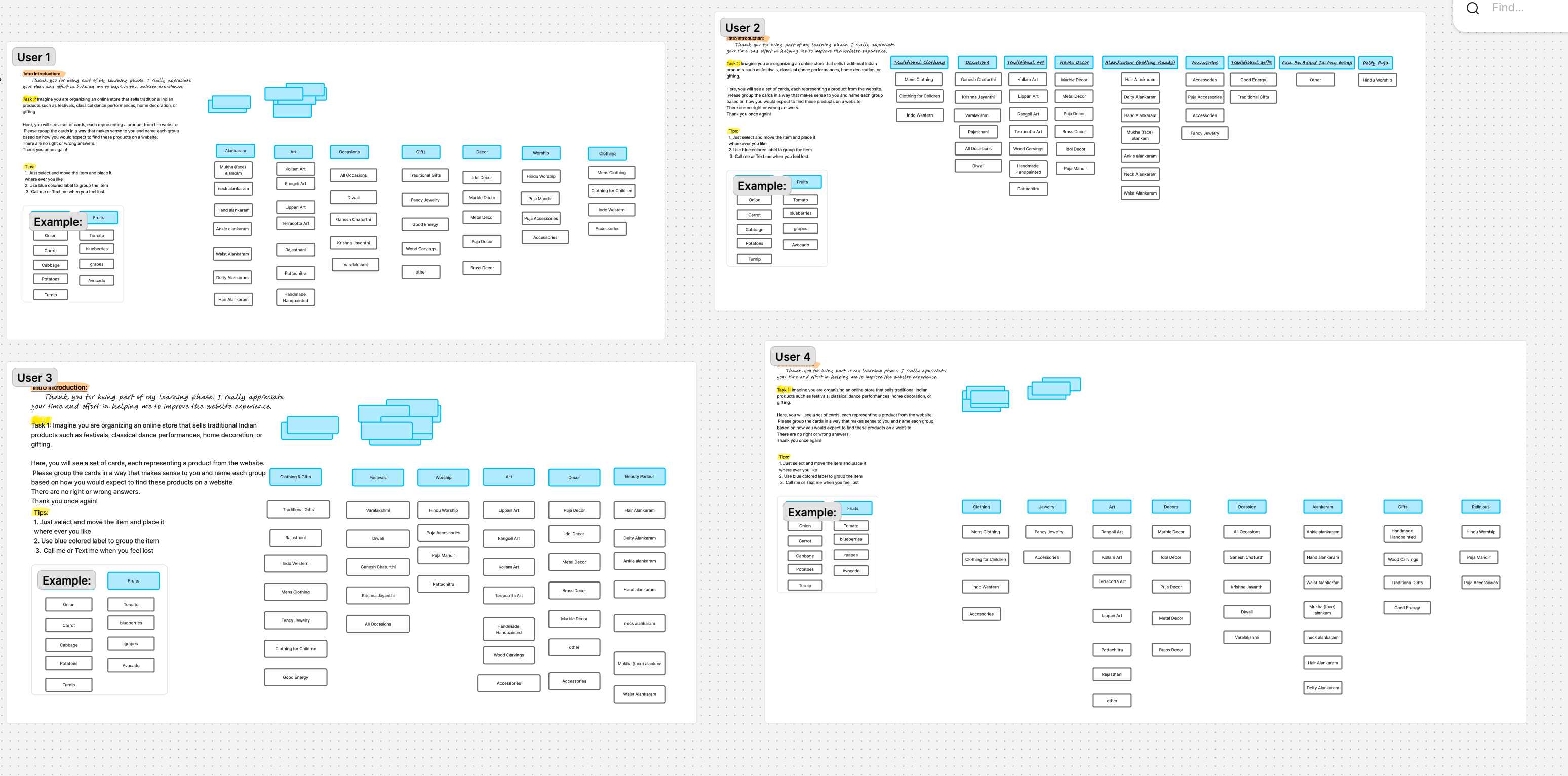
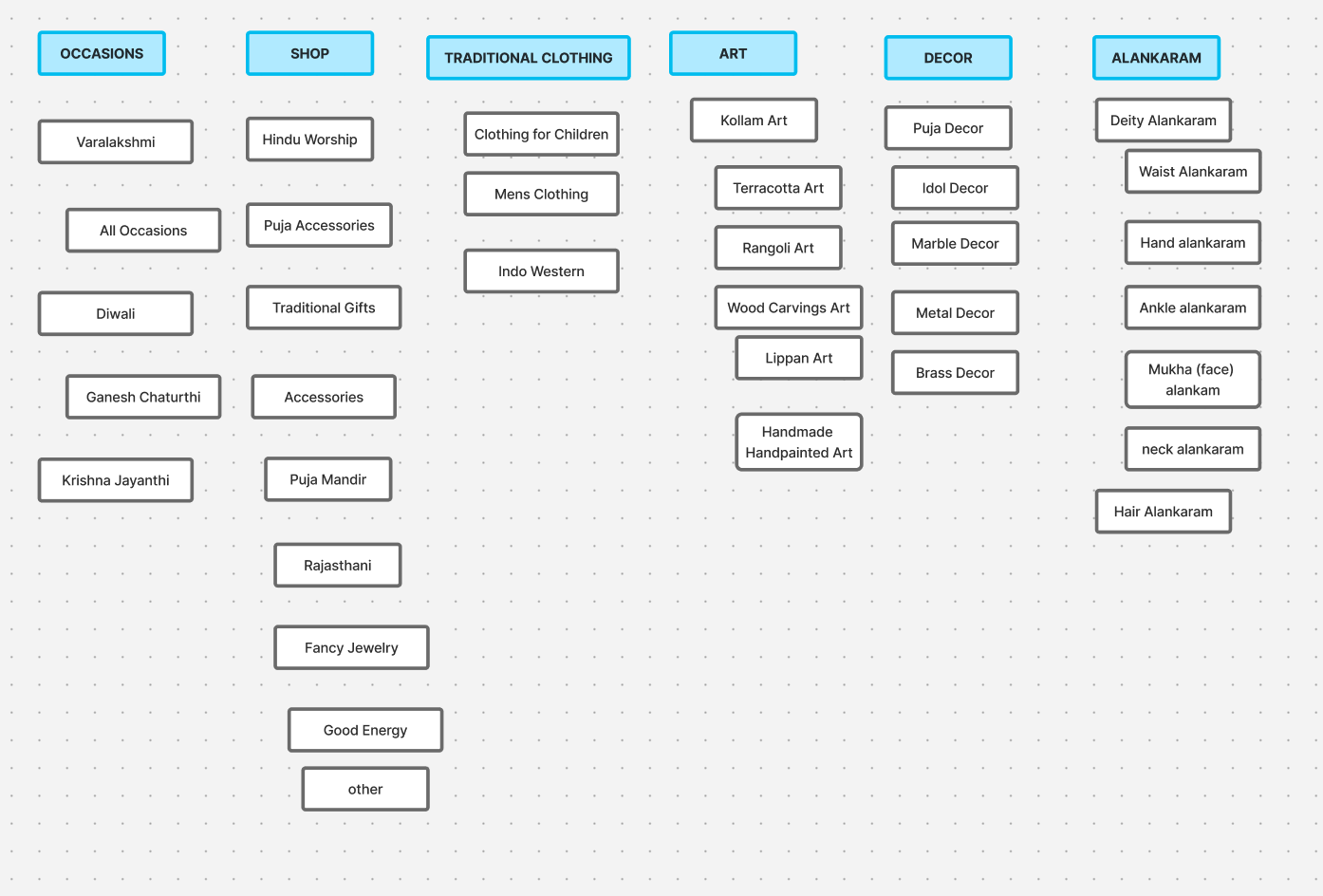
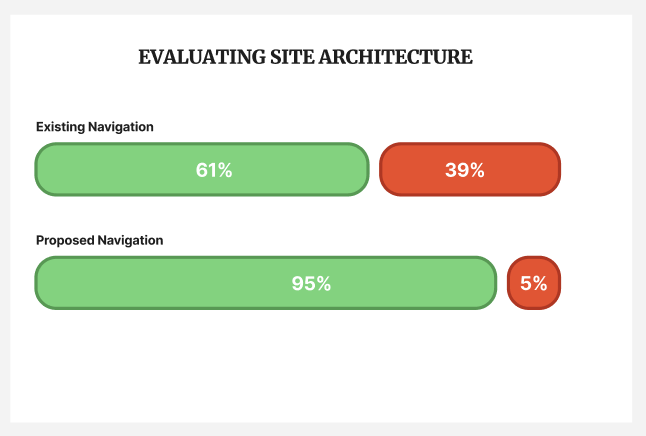
This was the most important change in the whole project — and I almost missed it. I assumed navigation just needed cleaner labels. Card sorting showed me the categories themselves were wrong.
Click to expand
Click to expand
Click to expand
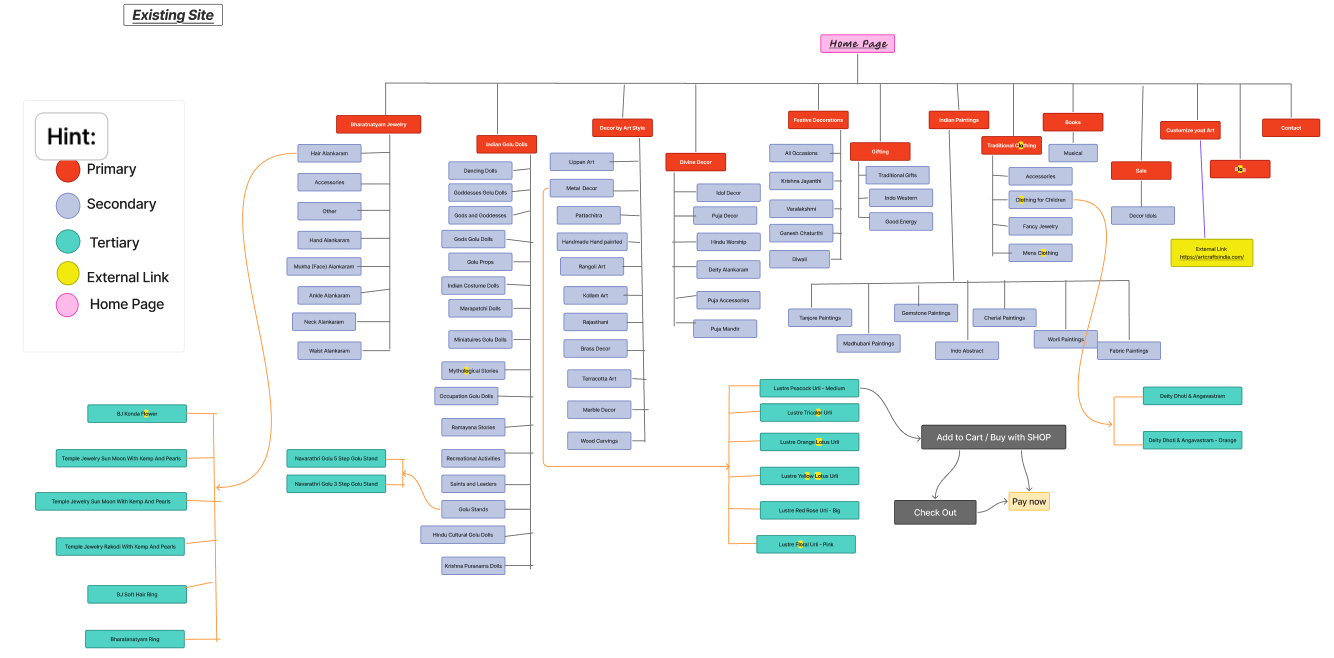
Before — Current Site
Click to expand
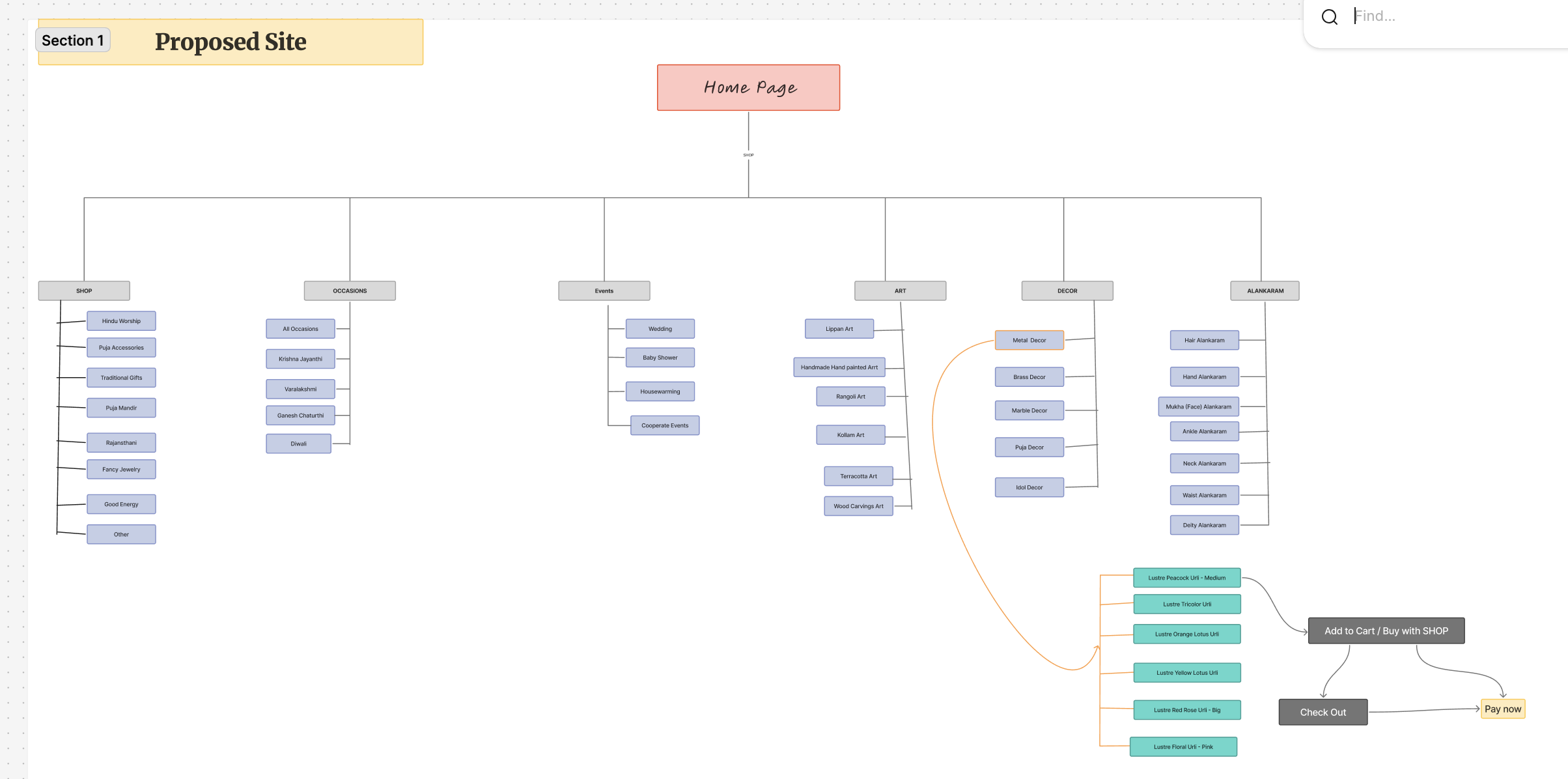
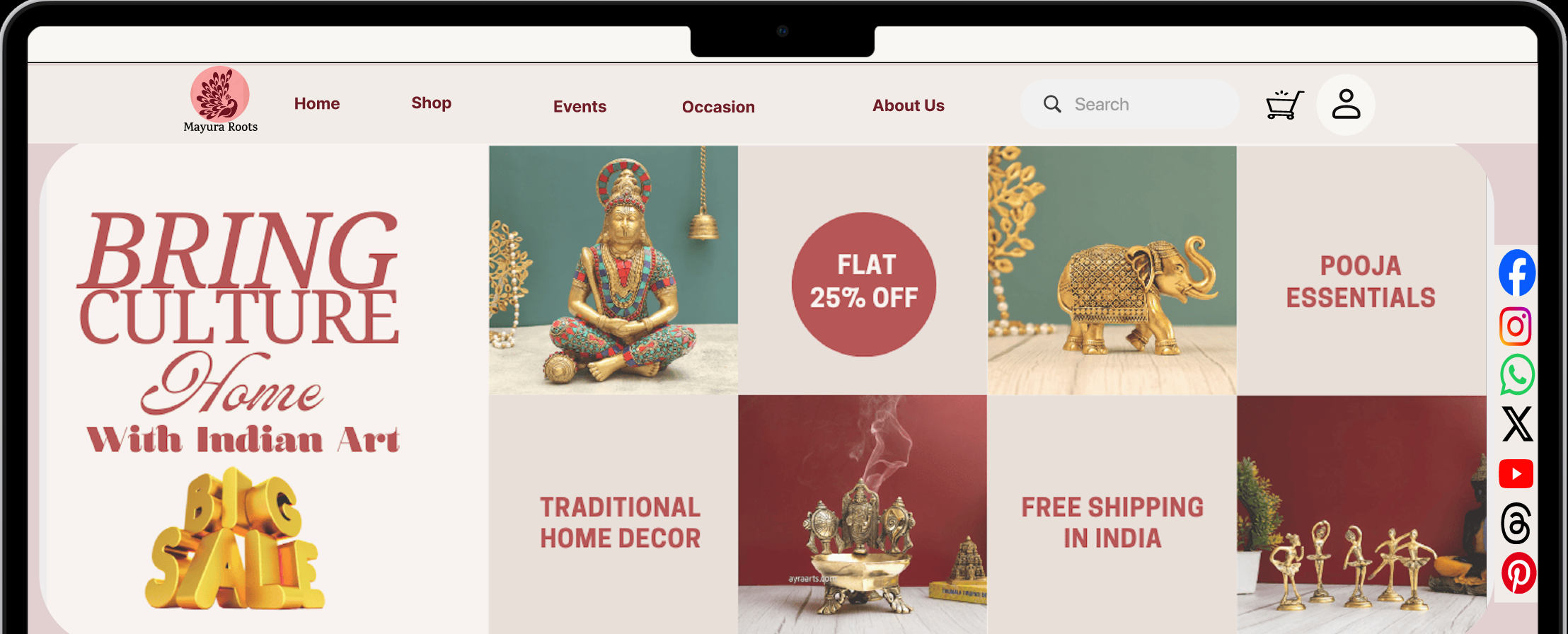
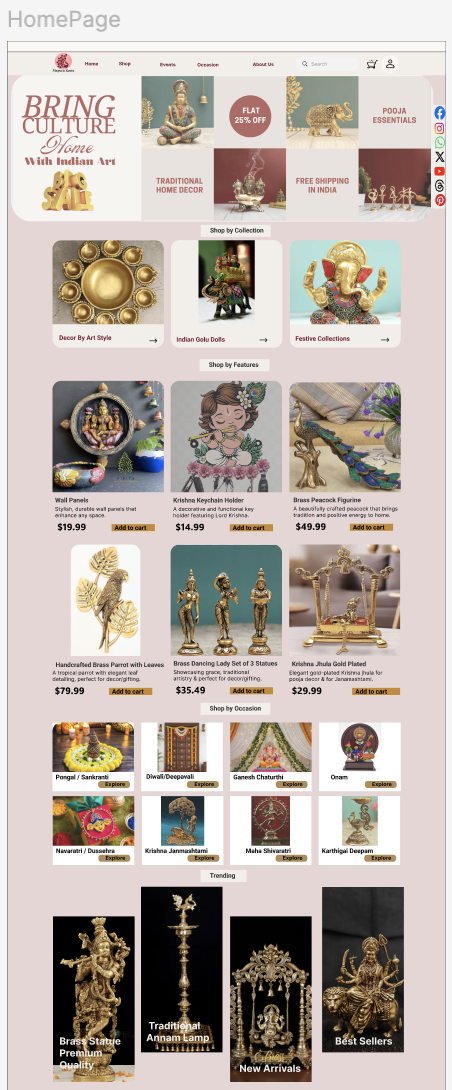
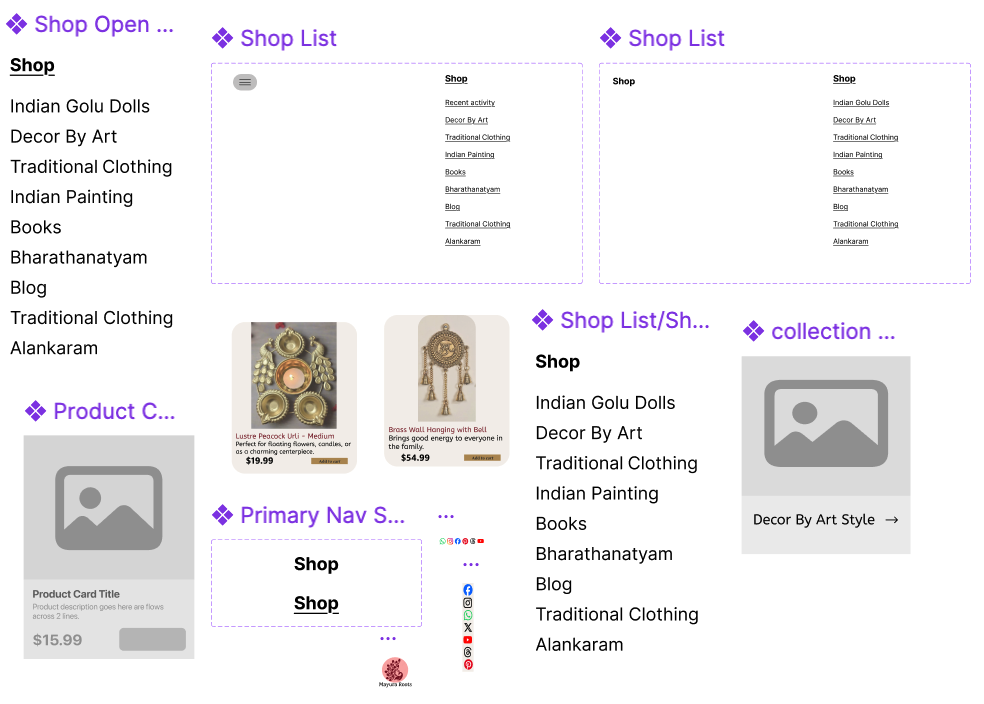
After — Proposed Site
| Research Insight | Design Decision | Expected Outcome |
|---|---|---|
| Navigation is the core issue | Simplified menu — category by occasion & tradition | Users locate products faster |
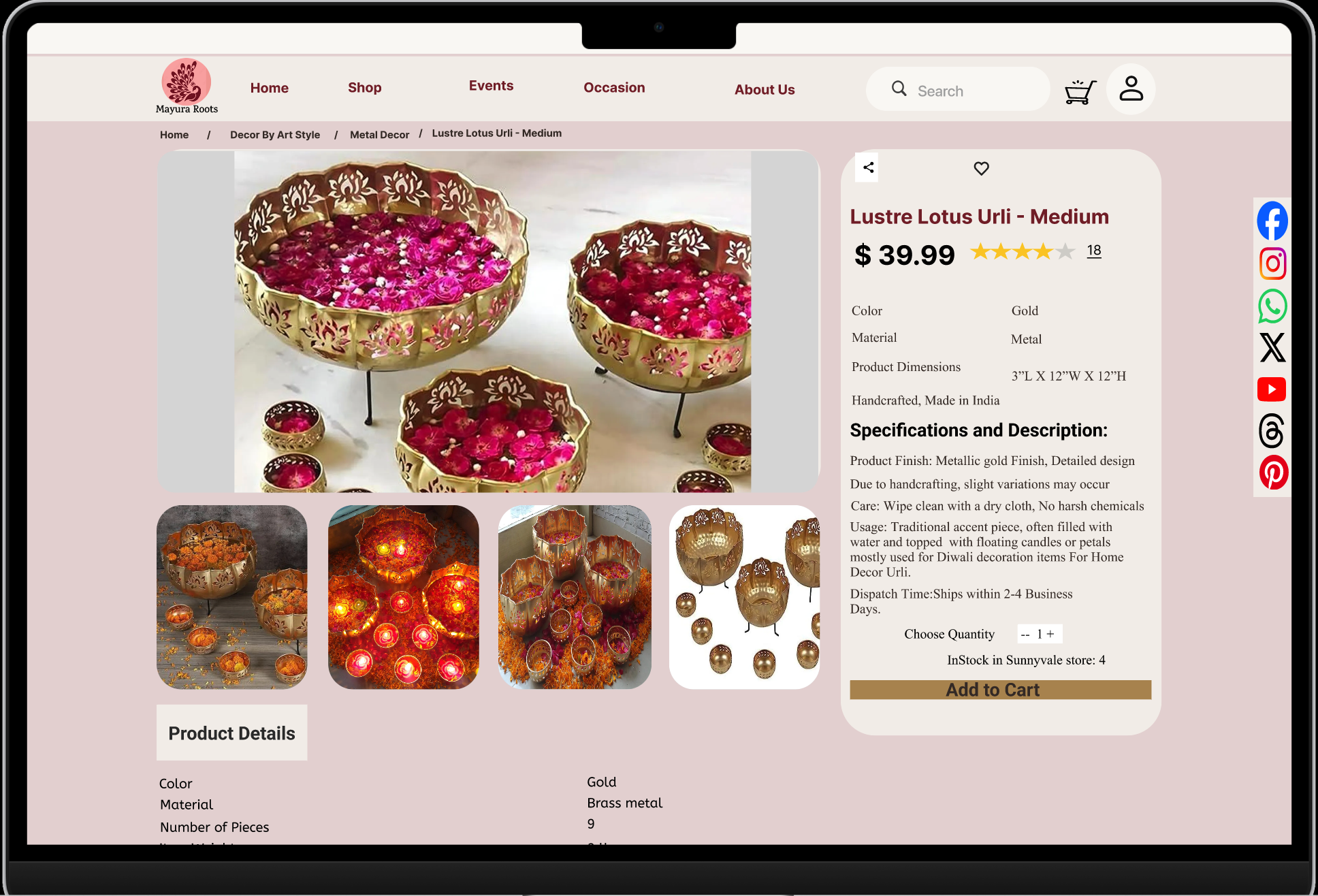
| No cultural storytelling | Cultural origin & usage section on every product page | Higher purchase confidence |
| Trust & credibility gaps | Modern visual design + authentic photography standards | Reduced bounce on product pages |
| Users want guidance | "Shop by occasion" curated collections | Increased time on site |
| Card sorting revealed mental models | New IA matches how users think, not how products are sourced | Lower friction to discovery |
| Meanderers need discovery pathways | Artisan stories, cultural guides, and blog content | Engaged browsing beyond intent |
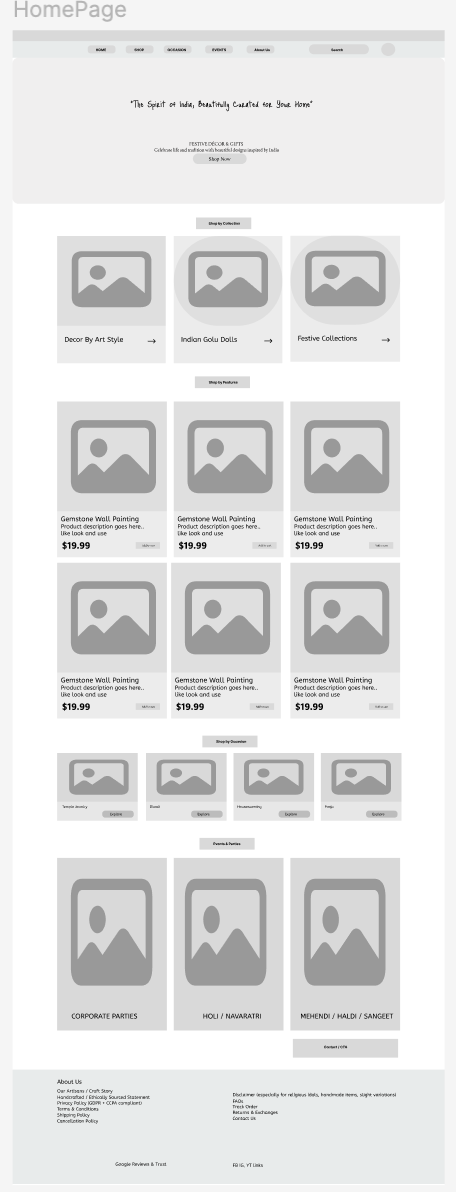
The old menu sorted by product category. Card sorting showed users don't think that way — they think "I need something for a wedding" or "I'm looking for Diwali gifts." The new structure follows their logic, not the supplier's inventory system.
💡 This was the insight I nearly missed. I went into card sorting expecting to refine the labels. Users showed me the whole structure needed to change. That's the most useful thing card sorting gave me on this project.
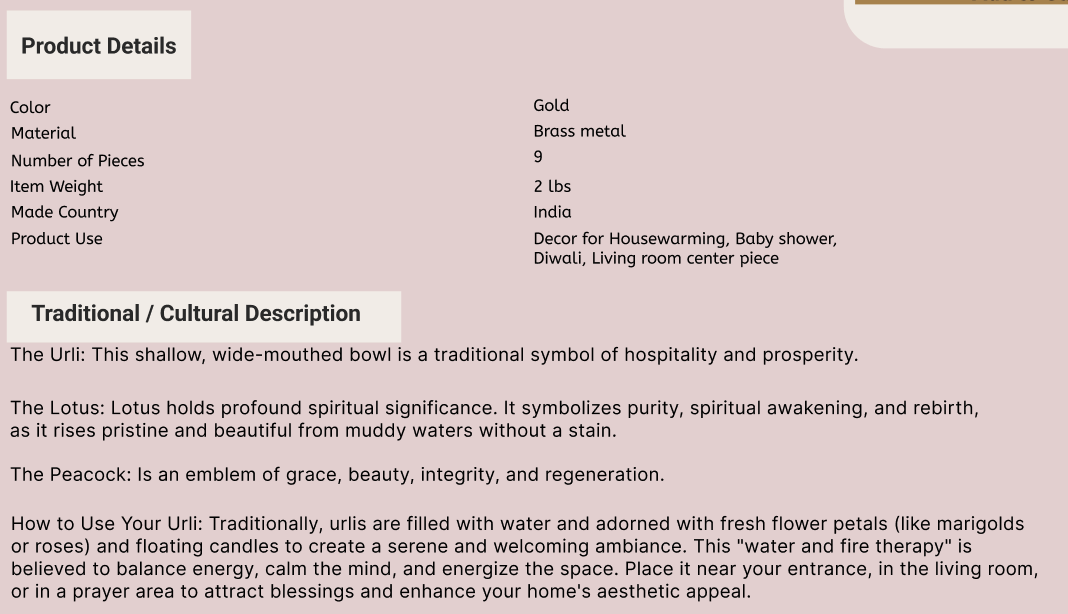
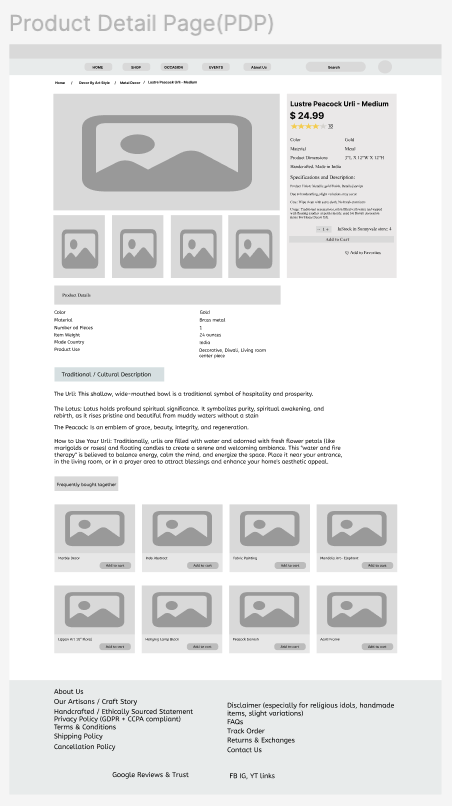
Every single person I interviewed said some version of "I want to know what this is before I buy it." Some didn't know the name of the product. Some knew the name but not the usage. Some wanted to know the origin. Cultural context on the product page isn't supplementary — it's what makes the purchase feel safe and meaningful.
💡 I had to convince myself that adding this much content to a product page was the right call. Every usability session confirmed it — users stayed longer, asked fewer confused questions, and felt more ready to buy.
The products were genuine. The site didn't look like it. Outdated visuals and sparse listings made users doubt quality before they'd even read a description. The redesign makes authenticity legible — through photography standards, sourcing transparency, and a checkout experience that doesn't feel like a risk.
💡 Trust is earned through detail. Real photography, real origins, real artisan names — not just badges and polish. The specificity is what makes it credible.
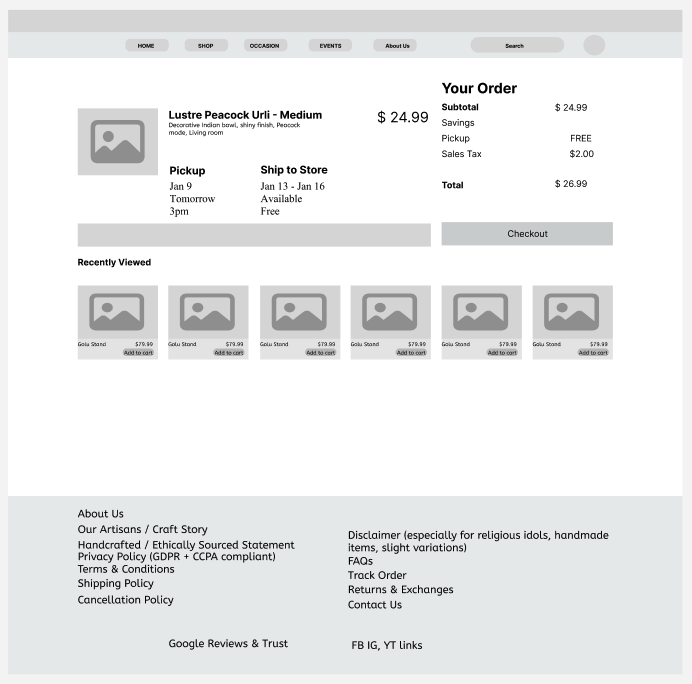
Navigation, product pages, and cultural storytelling — all in Figma.
View Full Prototype ↗Building the component library was slower than I expected — but it forced me to make deliberate decisions about spacing, states, and variants that I'd otherwise have left inconsistent across screens.
The navigation and cultural context changes tested well. What I couldn't fully answer in three weeks: whether users with lower cultural familiarity found the same level of confidence as those who already knew the products.
Click to expand
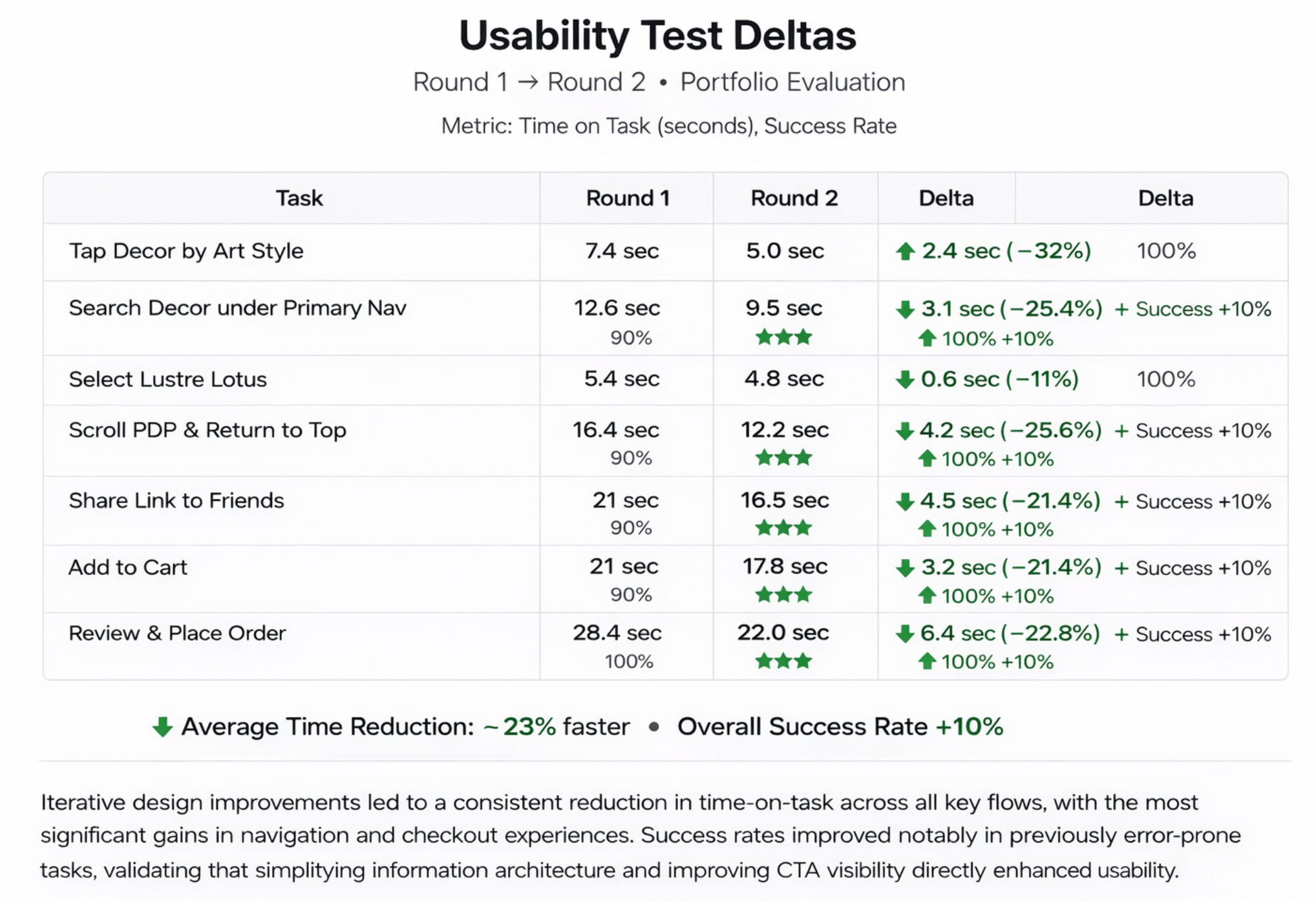
Users located products faster with fewer wrong turns
Reported feeling more engaged with the redesigned interface
Heuristic eval, audit, card sort, interviews, competitive, IA
Meaning + origin + usage on every product page
Card sorting was the one I came in underestimating. I thought it would confirm my nav structure. It completely replaced it.
I ran this expecting users to roughly match my proposed categories. They didn't. The groups they formed were occasion-based, not product-type-based. That finding became the entire navigation structure.
A follow-up sort to pressure-test the categories the open sort surfaced. It confirmed the occasion-based groupings held — and showed which products users were most uncertain about, which pointed directly to where cultural context was most needed on product pages.
Mapped the existing structure before touching anything — every page, every link, every orphaned page not reachable from the nav. Seeing it laid out made the problem obvious in a way that screenshots of individual pages never could.
Click to expand
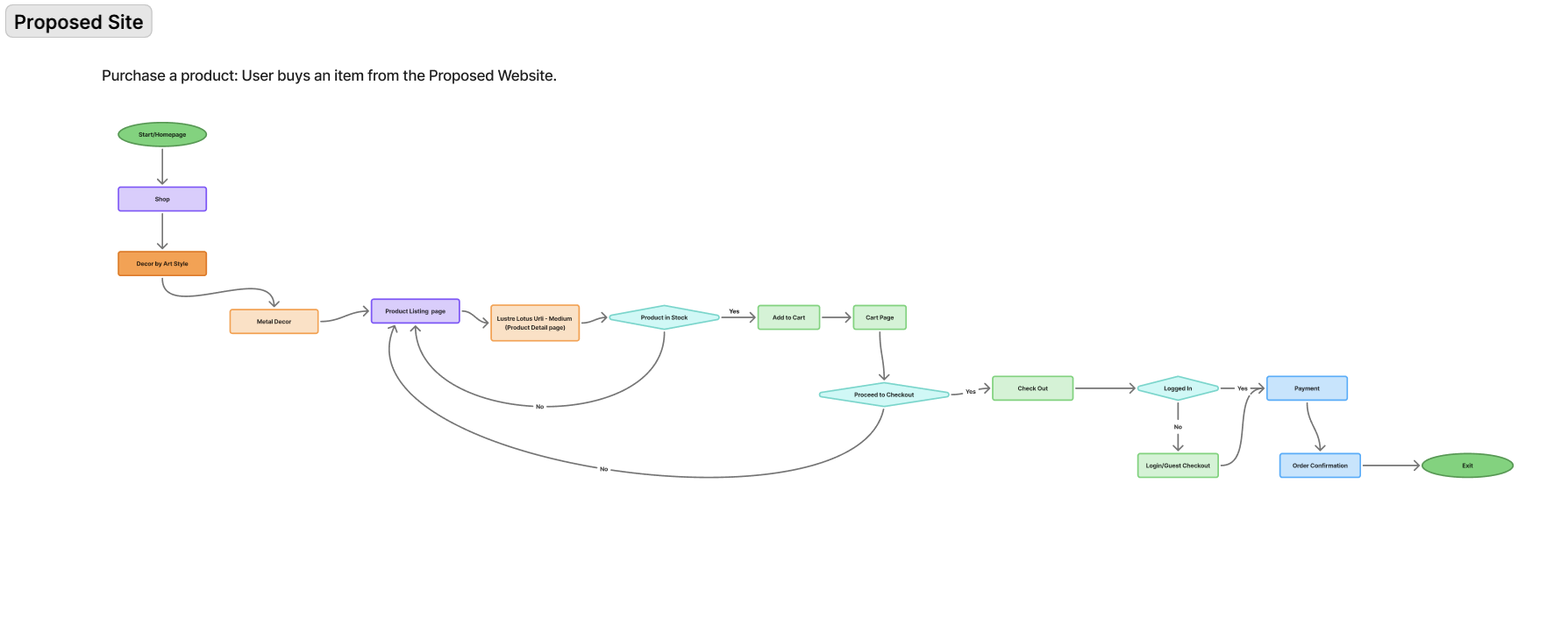
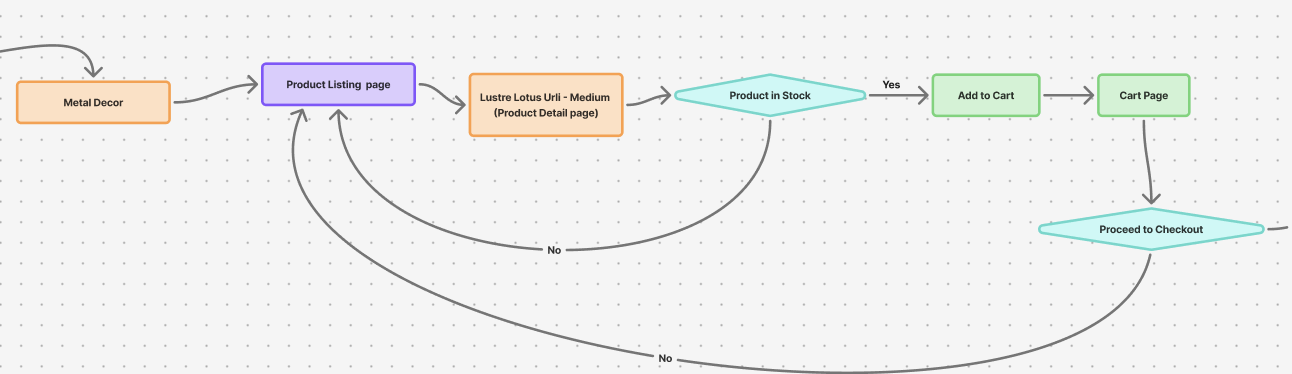
Mapped every decision point from discovery to purchase on the product page. It made visible how many places a user could lose confidence or get confused — and showed that the cultural context section needed to sit above the add-to-cart button, not below it.
Click to expand
Zoomed in on the highest-priority paths — the ones where a wrong turn meant a lost sale. Focused design effort on making these flows as frictionless as possible before spending time on secondary journeys.
Click to expand
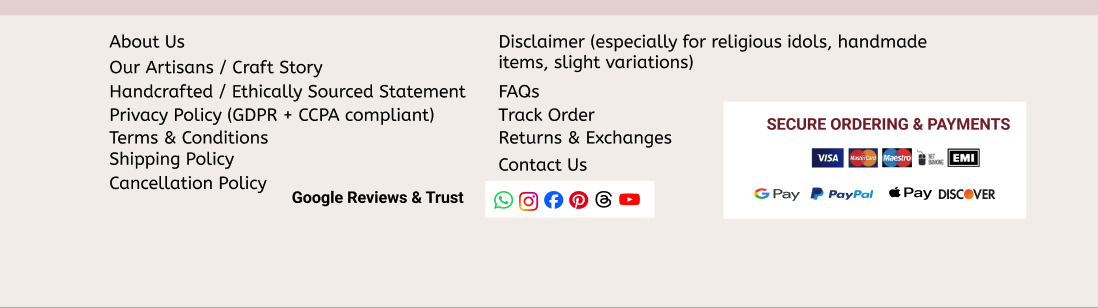
Checkout was a place where trust could collapse at the last moment. Designed payment visibility and security signals into the flow — not as decoration, but as answers to the specific doubts users had expressed in interviews about buying from an unfamiliar site.
Click to expand
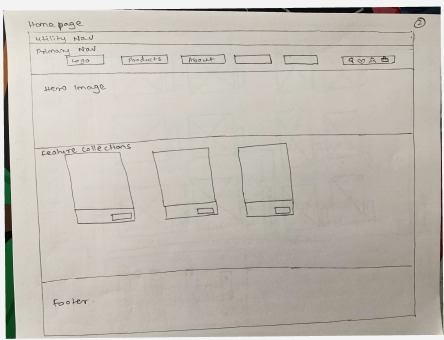
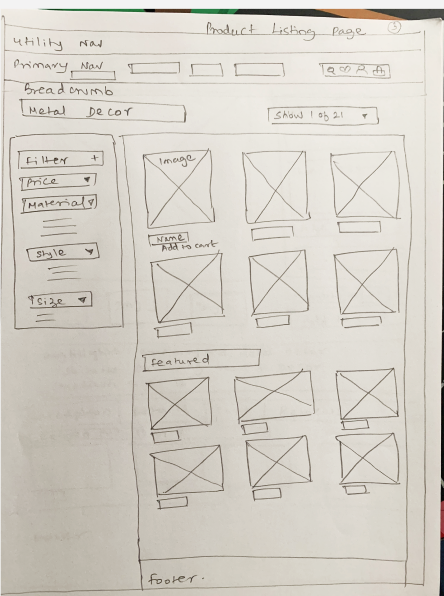
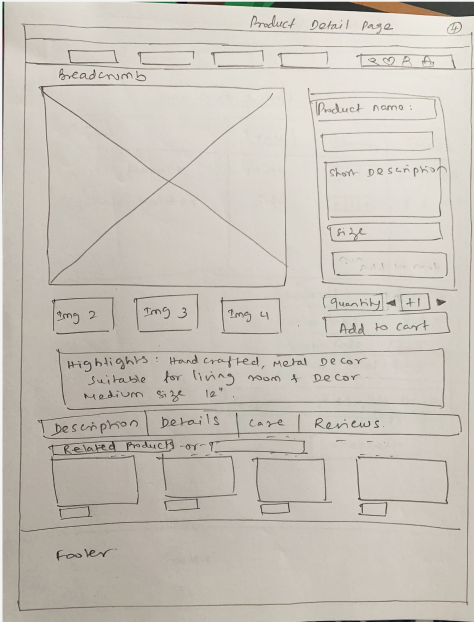
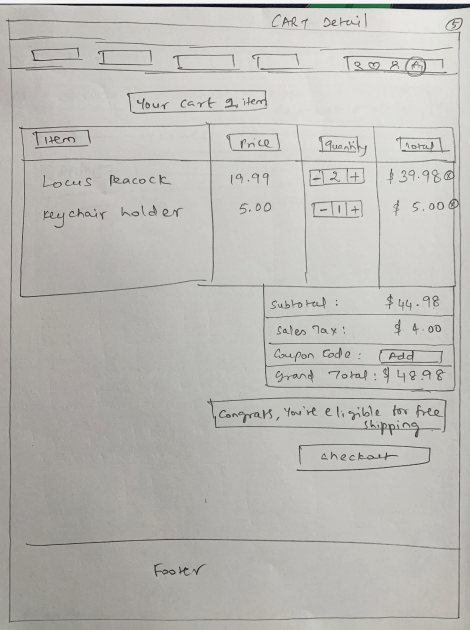
Starting on paper meant I could try structure without committing to it. The jump from hand sketches to mid-fi was where the navigation changes became concrete — and where I realised how much the product detail page needed to change.
Blog posts and tradition guides that exist outside the product pages — so curious browsers have somewhere to go that isn't immediately commercial. This is what the Meanderer archetype actually wants.
Not "handcrafted with care" — specific names, specific places, specific processes. That specificity is what makes authenticity credible. I'd want to go back to the product pages and make this a primary section, not a footnote.
If someone is browsing wedding items, showing them other wedding products makes obvious sense. The current site misses this completely. Even simple occasion-based related products would reduce the "where do I go next?" problem.
Most of my testing was with people who had some cultural familiarity. I still don't know how well the design works for someone in the UK or US who has less context but wants to connect with their heritage. That's a different design problem.
I believe it helps. Testing confirmed users stayed longer and felt more confident. But I didn't measure whether it directly increased purchases. I'd want to run that test before committing to the current format.
Not just "5 stars, great product" — reviews that include how someone used the item and for what occasion. That kind of social proof is far more useful than a rating for a product you've never seen before.
The biggest improvement to the experience wasn't a new component or a visual refresh. It was restructuring which products went where. Users didn't say "I love the new navigation." They just stopped getting lost. That's what good IA feels like — you don't notice it working.
I came in thinking culture was the tone and visual style. This project showed me it's much more structural than that. If a user can't understand what a product is for, no amount of good design will get them to buy it. The content is the experience.
I thought it would validate what I already had. Instead it told me I had the wrong model entirely. That's uncomfortable when you've already invested time in a structure — but it's exactly what the method is for. I'll run it early on every IA project going forward, not as a validation step but as a discovery one.
A nice visual design doesn't make a product feel authentic. What makes it feel authentic is knowing where it came from, who made it, and what it's for. The most trust-building content I added to these pages wasn't a badge or a brand refresh — it was a paragraph of real context.
If I'd only designed for the Purposeful Seeker — someone with a clear item in mind — I'd have built a cleaner shop. Designing for the Meanderer too meant building something worth exploring. That tension made the design more interesting and, I think, more valuable for the brand.
I'd spend it testing with users who have lower cultural familiarity — diaspora shoppers in the UK or US who want to connect with their heritage but don't have the context to navigate these products confidently. I believe the design helps them. I didn't test it enough to know.
Navigation, product pages, and cultural storytelling — all three changes working together in Figma.